November 6, 2026 in Blend momentum
Autopilot Update: Easier Fee Updates and Clearer AUS Checks in Navigator

A loan officer’s day is full of small handoffs: finding the right line on a fee sheet, checking that a file is ready for underwriting, keeping Blend and the LOS in step. Each one is a chance for a loan to stall, whether it’s a request that fails after it’s submitted, a required field nobody noticed was blank, or two systems that no longer match. Navigator is built to take on those handoffs inside the conversation, so the loan officer can move a loan forward without leaving Navigator.
This week’s updates continue that work. Navigator now makes it easier to find the right fee and see what information is missing before submitting a loan to automated underwriting (AUS). It also clarifies where to add or remove fees on mobile and reminds loan officers when a borrower removal needs to be reflected in their loan origination system (LOS).
Subscribe to Autopilot updates
Find fees without using the exact name
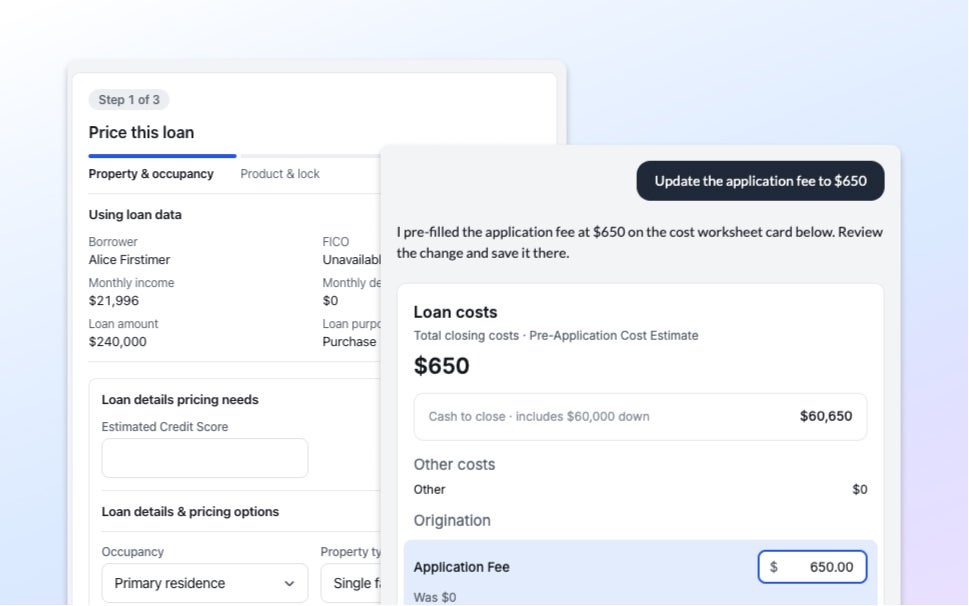
When a loan officer asks Navigator to change a fee, the name no longer needs to match exactly.
Navigator accounts for differences in capitalization, punctuation, and whether the name ends in “fee.”
For example, a loan officer can ask to update the “Condo Questionnaire Fee” even if the loan lists it as “Condo Questionnaire.” Navigator opens the closest matching fee in the costs card, where the loan officer reviews and makes the change. If it can’t find a match, it lists the loan’s fees and suggests the closest match.
On Navigator Mobile, guidance also makes clear where different fee changes happen: the costs card is for reviewing and changing existing fees, while Lending’s Details of Transaction page is where loan officers add or remove fees.
See what’s missing before submitting to AUS
The Run AUS card now identifies missing required fields and shows where to complete them before submission. It uses the same required-field checks as Lending, including checks for loan amount, loan purpose, purchase price, and citizenship. These checks cover required fields only. They don’t predict AUS findings.
For example, if a loan officer asks Navigator to run AUS on a purchase loan without a purchase price, the card identifies the missing field and points to Application → Loan information. The loan officer can enter the price before submitting.
This makes missing information easier to address before the loan is sent to AUS.
Get a reminder to update the LOS
On loans linked to an LOS, Navigator now reminds loan officers to remove a borrower in the LOS after they approve that borrower’s removal in Navigator.
For example, if a co-borrower drops off a loan, the loan officer can ask Navigator to remove them and approve the change. Navigator removes the borrower in Blend and reminds the loan officer to make the same change in the LOS, so both systems show the same borrowers and the loan stays linked between them.
To get started with Blend Autopilot, contact your Blend account team.
For more updates across Autopilot and Navigator, visit our changelog, updated weekly.
Find out what we're up to!
Subscribe to get Blend news, customer stories, events, and industry insights.
Autopilot Update: More Control Over Borrower Requests and Expanded Review Checks
Fewer repeat asks for borrowers and fewer missing-document surprises at underwriting.
Read the article about Autopilot Update: More Control Over Borrower Requests and Expanded Review Checks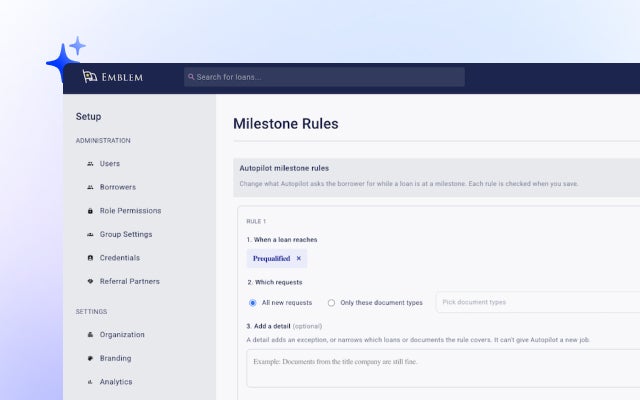
Navigator Mobile Is Now in Beta: Your Pipeline, in Your Pocket
Five minutes between appointments is now enough to know which files need you.
Read the article about Navigator Mobile Is Now in Beta: Your Pipeline, in Your Pocket
Autopilot Update: Easier Pricing and Fee Changes in Navigator
Price the loan, save the scenario, change the fee. Without leaving the conversation.
Read the article about Autopilot Update: Easier Pricing and Fee Changes in Navigator