
October 30, 2026 in Blend momentum
Autopilot Update: Easier Pricing and Fee Changes in Navigator

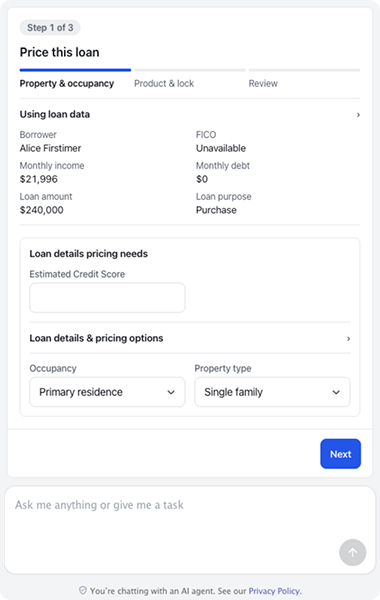
Pricing a loan and changing a fee are two common tasks in Navigator. Navigator now gathers missing information before running pricing and opens fee changes directly in the conversation, with the same review rules as Lending.
Navigator gathers missing information before running pricing
What’s new: Navigator now checks that the loan has the fields pricing requires, such as the county and the number of units. If a required field is missing, it asks the loan officer before running pricing. Loan officers can also save a quoted rate as a scenario directly from the conversation and edit saved scenarios on the scenarios card.
Why it matters: Loan officers can fill in missing information, price the loan, and save a rate to revisit without leaving the conversation.
Example: A loan officer asks Navigator to price a two-unit purchase. The county is missing, so Navigator asks for it. Once the loan officer answers, Navigator prices the loan. The loan officer then saves the rate quoted to the borrower as a scenario to revisit after the borrower decides.
Review and save fee changes in the conversation
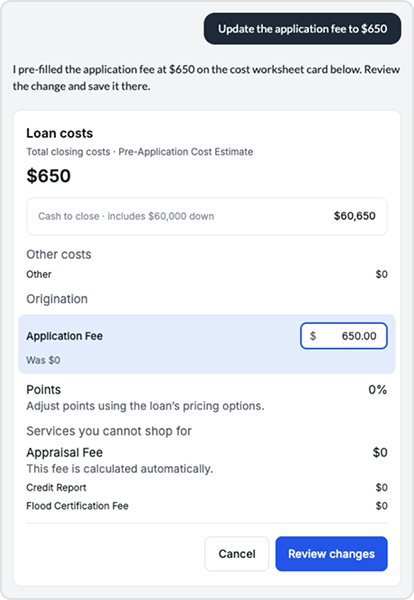
What’s new: When a loan officer asks Navigator to change a fee, a costs card opens directly in the conversation. It follows the same fee review rules as Lending, including disclosure status, change-of-circumstance reasons, and cure credits. The loan officer reviews and saves each change, and the updated fees match in Navigator and Lending.
Why it matters: Loan officers can review and save fee changes where they requested them, with the same rules that apply in Lending. Navigator doesn’t save a fee change until the loan officer saves it, and both views show the same fees.
Example: A loan officer asks Navigator to update the appraisal fee after receiving a revised quote. The costs card shows whether the fee has already been disclosed and asks for a change-of-circumstance reason. The loan officer enters the reason, reviews the change, and saves it. The updated fee also appears in Lending.ces current, keep the prior version available when a page cannot be retrieved, and let lenders apply their own rules using borrower-level and loan-level credit scores.
To get started with Blend Autopilot, contact your Blend account team.
For more updates across Autopilot and Navigator, visit our changelog, updated weekly.
Find out what we're up to!
Subscribe to get Blend news, customer stories, events, and industry insights.
Autopilot Update: Bank Statement Checks, More Income Formats, and Borrower Request Controls
If the transactions don't add up, the statement doesn't pass. Three changes to how Autopilot reads documents.
Read the article about Autopilot Update: Bank Statement Checks, More Income Formats, and Borrower Request Controls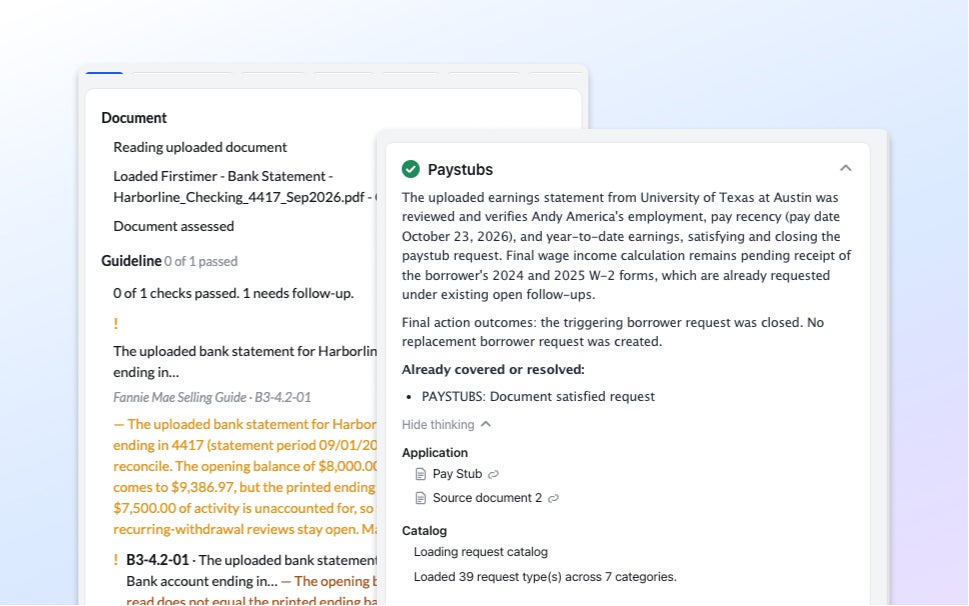
The Mortgage Funnel Doesn’t Work the Way Most Lenders Assume
A year of origination data shows where mortgage funnels actually lose borrowers, and it's rarely where you'd expect.
Read the article about The Mortgage Funnel Doesn’t Work the Way Most Lenders Assume
Autopilot Update: Smarter Handling of Document Requests
The right document, the right time, the right borrower. Three fixes to how requests go out.
Read the article about Autopilot Update: Smarter Handling of Document Requests