
AI & Autopilot
Blend Autopilot: AI That Keeps Loans Moving Forward
The AI Agent that reviews documents, checks compliance, and created follow-ups in 15 seconds.
Start learning about Blend Autopilot: AI That Keeps Loans Moving Forward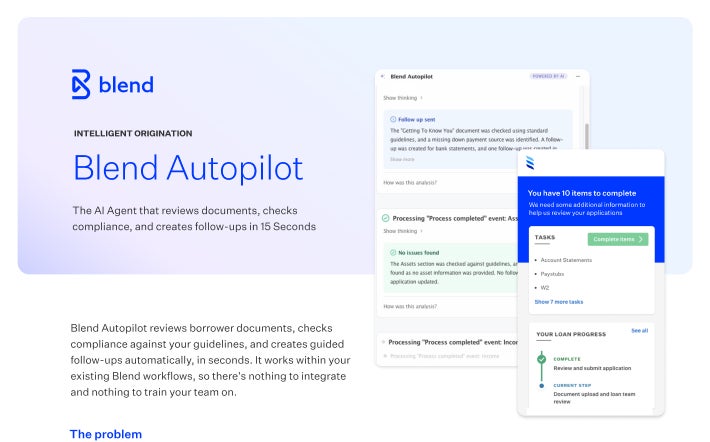
Ask questions, update loan files, and get tasks done through conversation on your phone or desktop.
From answering questions to completing lending tasks, Navigator helps loan officers manage the everyday work of moving loans forward. Simply ask for what you need, review proposed actions, and stay in control.
Ask Navigator questions about loan details, borrower information, outstanding requirements, and loan status. Navigator helps you find the information you need, understand what’s happening with a loan, and identify what needs to happen next.
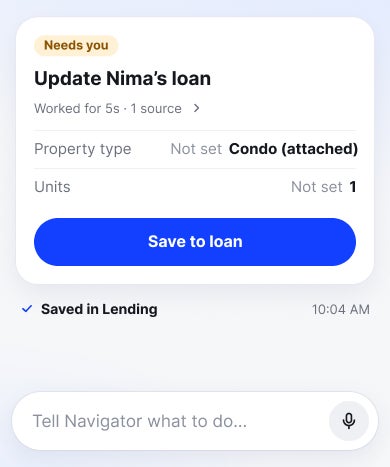
Make changes to loan details through simple conversation, whether you’re correcting borrower information or updating fields. Navigator helps you complete routine updates while giving you the opportunity to review and approve changes before they’re applied.
Ask Navigator to run pricing on a loan, check eligibility, and explore available loan products. Get the information you need to evaluate options, compare scenarios, and help borrowers make informed decisions.
Move loans forward by asking Navigator to complete tasks like pulling credit, submitting to automated underwriting, or generating preapproval letters. Navigator helps you take action through conversation, with your approval before changes are made.
Ask Navigator to prepare borrower communications or request additional information and documents. Review and approve messages before they’re sent, helping you keep borrowers informed and loans progressing.
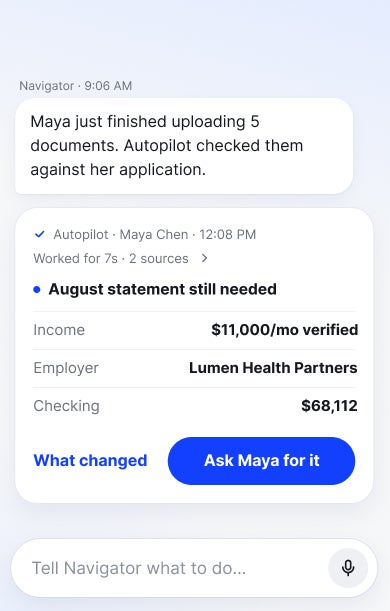
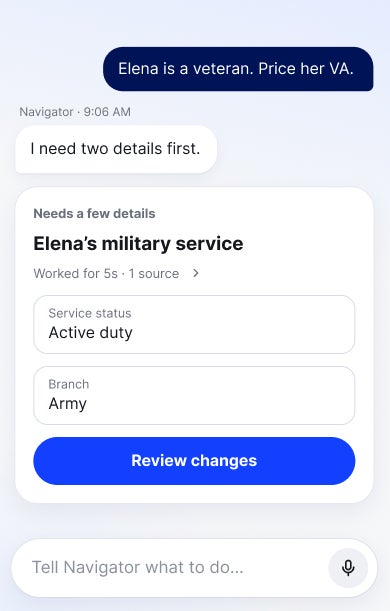
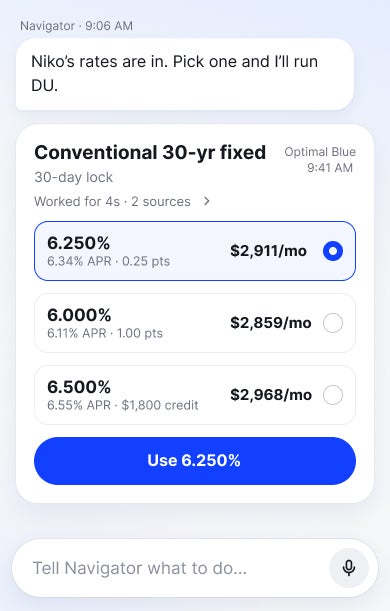
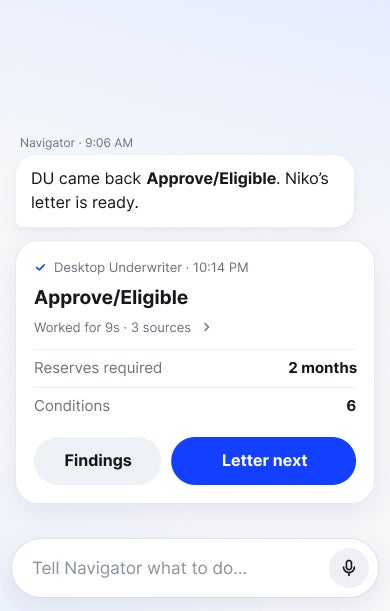
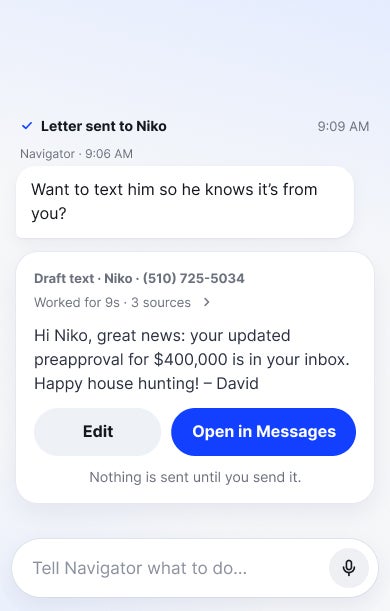
Navigator Web brings conversational assistance into focused, loan-level workflows.
Navigator Mobile extends that assistance across your pipeline, helping you stay informed and take action on the go.
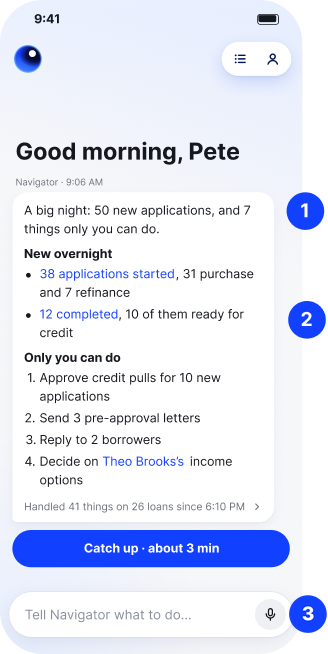
1. Proactive monitoring and notifications: Navigator surfaces important developments, flags loans needing attention, and sends notifications about new activity. A daily morning check highlights outstanding items and upcoming milestones.
2. One home conversation: Navigator opens to a single conversation with a recap of what’s changed since your last visit, including completed work and recent activity.
3. Voice-to-text input: Speak or type instructions. Voice is converted to text before being sent to Navigator.
Pipeline-wide and loan-level conversations: Ask questions and take action across assigned loans from Home, or open an individual loan for detailed information, documents, and follow-ups.
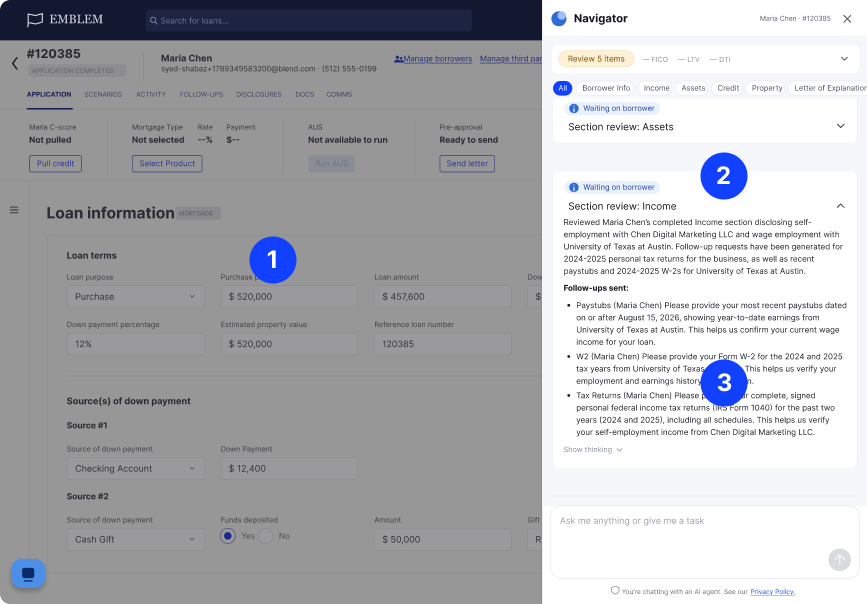
1. Ask about the open loan: Ask questions about the loan you’re working on, with the full loan details in view alongside your conversation.
2. See the answer and the work behind it: Get answers grounded in loan information, including Autopilot’s findings, like this income review and the follow-ups already sent to the borrower.
3. Approve the next step: Review proposed loan updates and actions directly in the conversation before they’re applied.
Navigator can coordinate multiple lending tasks in a single conversation, carrying information from one step to the next. It handles the work along the way, asking for your input or approval when needed.
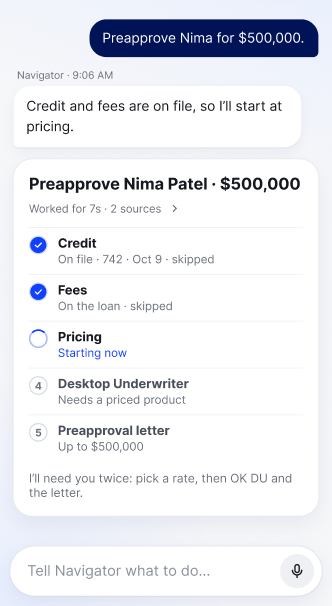
Start with a request like “Preapprove Nima for $500,000.” Navigator identifies the steps needed, checks what’s already available, and gets to work.
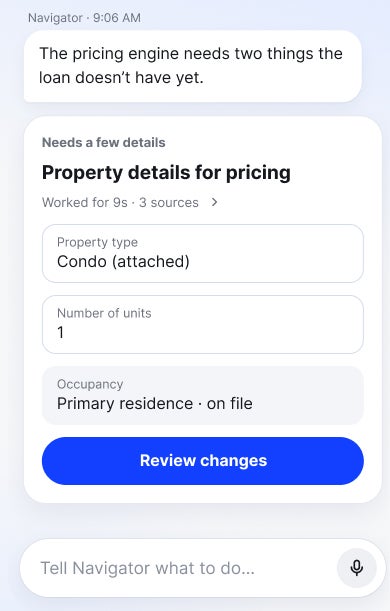
Navigator coordinates the necessary tasks in sequence, using the results of one step to inform the next. When it needs missing information, a decision, or your approval, it asks.
Provide the requested information or approve the proposed action, and Navigator picks up where it left off without making you restart the process.
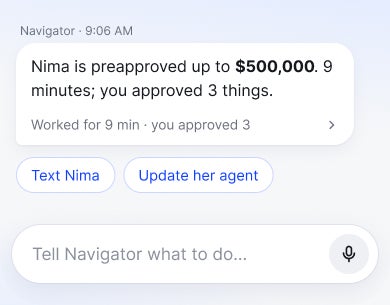
Once the workflow is finished, Navigator summarizes what was completed, giving you a clear view of the results and any remaining next steps.
Blend Autopilot handles pre-underwriting work on your loans, while Navigator gives loan officers a way to interact with that work. Through simple conversation, loan officers can see what Autopilot has done, ask questions, and take action.
Both help loan officers get answers and take action, but they’re designed for different ways of working. Navigator Web is built into Blend Lending for focused work on individual loans, while Navigator Mobile helps loan officers stay on top of their entire pipeline, prioritize what needs attention, and take action on the go. Some capabilities are unique to each experience.
You’re always in control. Before Navigator makes changes to a loan, incurs costs, or contacts a borrower, it presents the proposed action for your review and approval. Navigator can also draft borrower messages, but won’t send them without your approval.
Navigator Web can be enabled through your Blend team. Navigator Mobile is currently available through early access. Interested in learning more? Request access.
Receive updates on new capabilities, improvements, and what's shipping next.
The AI Agent that reviews documents, checks compliance, and created follow-ups in 15 seconds.
Start learning about Blend Autopilot: AI That Keeps Loans Moving Forward
Download the report
Read the article about Autopilot Impact Report
Understand performance across your entire lending operation — without leaving Blend.
Start learning about Blend’s Autopilot Analytics Agent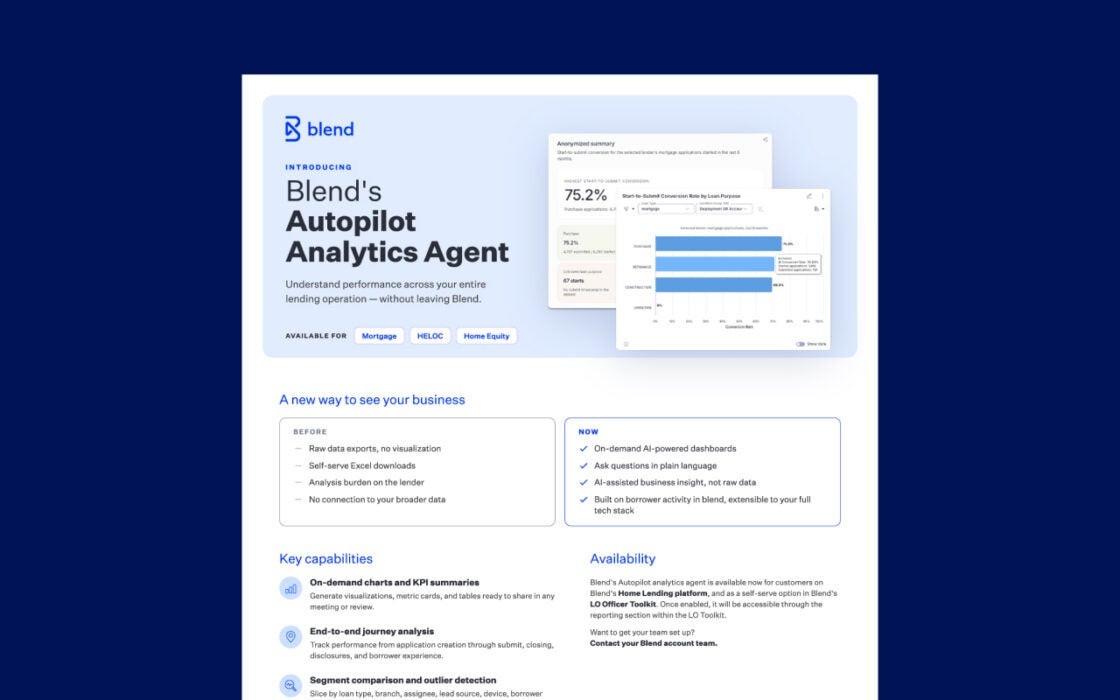
Request a demo to see how Navigator can help loan officers work more efficiently
By submitting this form you agree to our Terms of Use and Privacy Policy.