October 23, 2026 in Blend momentum
Autopilot Update: Smarter Handling of Document Requests
This week, Autopilot gets better at handling document requests. It now catches incorrect uploads on requests created by loan officers, holds off on emailing borrowers who haven’t submitted their application yet, and pulls more precise FHA guidelines for calculations.

Here’s what’s new this week:
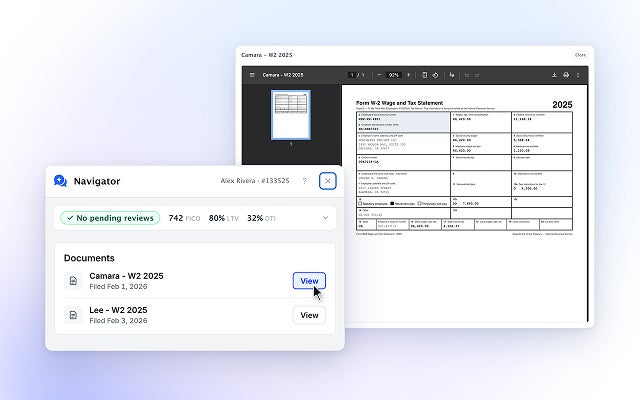
Incorrect document uploads now trigger follow-ups for loan officer requests, too
Before: Autopilot could reissue a document request when a borrower uploaded the wrong document and the original request automatically closed. But this only worked for requests Autopilot had created.
What’s changed: The same handling now applies to requests created by loan officers and placed in review.
Why it matters: Incorrect documents can be caught and requested again earlier, including requests loan officers created and placed in review.
No initial email for document requests created before application submission
Before: When Autopilot created a document request, an initial email was automatically sent to the borrower, even if they hadn’t submitted their application yet.
What’s changed: Autopilot can now be set up per tenant to create document requests before application submission without sending the borrower an initial email. Subsequent reminders follow existing notification rules.
For example, a borrower starts an application, enters property details, and stops before submitting. Autopilot identifies that no homeowners insurance is on record and creates a request. Previously that borrower would receive an email asking for insurance documentation on a home they have not yet applied to finance. Now the request waits on the loan, and goes out when they submit.
Why it matters: Lenders can create document requests early without sending borrowers an initial email before they’ve submitted their application.
More precise FHA guideline extraction
Before: Autopilot extracted FHA handbook sections by page. Because sections can start or end in the middle of a page, the extracted text sometimes included content from neighboring sections or repeated headers and footers.
What’s changed: Autopilot now extracts the text between the start of one section and the start of the next, excluding unrelated content.
Why it matters: When Autopilot retrieves an FHA guideline for a calculation, it gets the section itself rather than text from the sections around it.
Subscribe to Autopilot updates
Under the hood
We’ve also made improvements to calculations and testing.
- Better support for multi-borrower loans: When Autopilot proposes a document request, the review step now receives the full list of people on the loan. That gives it what it needs to match each request to the right borrower.
- More reliable date calculations: Autopilot can now calculate whole months and years between two dates, not just days. Many guidelines depend on how long something has been true — two years of self-employment, twelve months of rental history — and these calculations follow the calendar instead of estimating from a day count.
- Improved bank statement testing: We added tests for statements that are missing pages, including cases where only a middle page was uploaded. This helps Autopilot recognize when a statement isn’t complete.
- More consistent guideline testing: Our tests now read from a saved copy of Fannie Mae’s guidelines, so a test result doesn’t change simply because Fannie Mae published an update. Autopilot still reads the current guidelines when reviewing real loans. A nightly check compares the two and, when the guidelines genuinely change, opens the update for the team to review.
These updates help Autopilot catch incorrect documents earlier, avoid emailing borrowers before they’ve applied, and retrieve more precise guideline information for calculations.
Want to get started with Blend Autopilot? Contact your Blend account team.
For the latest Autopilot updates, including Navigator, visit our changelog. It’s updated weekly with the latest improvements and new capabilities.
Find out what we're up to!
Subscribe to get Blend news, customer stories, events, and industry insights.
Home Equity Is the Proving Ground
See how faster digital origination can improve share, pull-through, and lifetime customer value.
Start learning about Home Equity Is the Proving Ground
Winning the Account Isn’t the Same as Winning the Customer
Opening an account is easy. Keeping it active isn't, and the usual metrics don't always capture the difference.
Read the article about Winning the Account Isn’t the Same as Winning the Customer
Autopilot Update: Navigator Shows Its Work
The document, the disclosure status, the next step. All in the conversation.
Read the article about Autopilot Update: Navigator Shows Its Work