September 23, 2026 in Blend momentum
Autopilot Update: Why Income Accuracy Gets Better Every Week in Autopilot
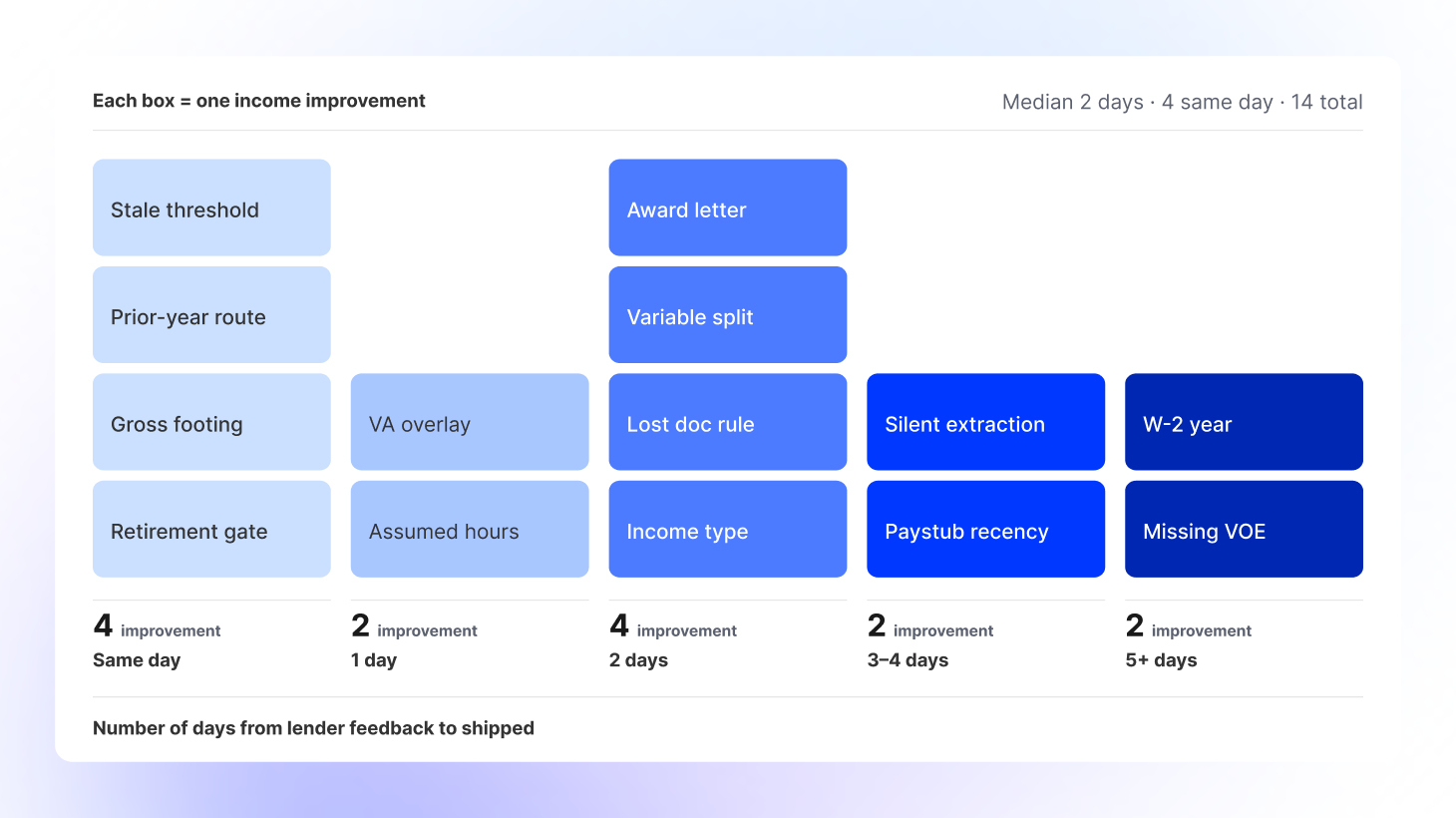
Income improvements since launch, how long it took to go from lender feedback to live in Autopilot.

When lenders evaluate Autopilot, the question is almost never, “Can it calculate income?” It is, “How do I know the number is right?”
That is the right question. Income sets DTI, drives eligibility, and determines the threshold for large-deposit review. A qualifying figure that is merely close is not useful.
Qualifying income has received more engineering attention than any other part of Autopilot since launch. Every improvement has come from direct feedback from our customers, helping us identify where the system needed stronger grounding, more precise document reading, or clearer lender-specific rules.
The result is a fundamentally stronger approach to calculating income, backed by more precise measurement and a process that turns remaining issues into permanent tests and fixes within days.
What we changed to improve accuracy so far
Three changes have done most of the work.
Income evaluation became a single grounded step
Income evaluation used to pass through several handoffs. A general model summarized the guideline, classified the income type, classified the documents, and handed all of that to a calculator as text.
Those handoffs created gaps. Summaries retained the calculation method but lost the documentation requirement. Classification invented income types that tripped a gate and blocked legitimate retirement and self-employment income outright.
Now, one step fetches the authoritative guideline text, identifies every income type present, checks the documentation against what is on file, and either calculates the income or reports what is missing.
Most importantly, it refuses. If no authoritative guideline text is available, it stops and says so instead of producing a number from a paraphrase.
The system reads what the document says
The recurring root cause behind many dollar errors was not so much a reading failure as a filling-in failure: substituting a reasonable assumption for something printed on the page.
Hours now come from the paystub, not from an assumed standard workweek. On one loan, that assumption alone locked in $10,400 a month against a correct figure of $11,500.
Earnings are read by column and footed against the gross printed on the document through a deterministic check with no model involved. If the figures do not reconcile, the document is re-read once with the discrepancy named.
Recency is expressed as a specific date boundary rather than a duration because “most recent 30 days” has two possible interpretations, and a model selected each about half the time.
An extraction that fails now also fails loudly instead of quietly calculating income from fewer documents than the borrower uploaded.
Your rules are configuration, not code
Lender-specific income overlays are delivered directly into the calculation step. They take precedence when they conflict with the agency baseline and remain in effect when a loan switches into a VA or FHA program.
Two lenders we work with differ on exactly one route: how to derive prior-year variable income when a borrower has a paystub and a W-2.
The guideline and documents are the same. The qualifying income is different. Both results are correct for the lender whose policy is being applied, and neither required a release.
How we know
These changes only matter if we can measure whether the full calculation is correct.
We used to grade income only at the edges: which documents entered the pipeline and what the agent wrote back to the loan. Everything in between was ungraded, which meant a calculation defect and an agent defect appeared as the same red square.
The calculation itself is now scored across four independent dimensions: the income types identified, whether the documentation gate fired correctly, the total, and the base-versus-variable split.
That final dimension matters more than it might sound. Base income of $3,300 plus variable income of $840 produces the same total as the correct split of $3,725 plus $414. The total passes either way. The split is the test.
Fixes are also measured across 10 repeated runs because a change that works once is not a fix. It is a coincidence with good timing.
Every production issue that can become a test is added permanently to the nightly suite. When one lender’s QA team reviewed two dozen production loans and returned 46 findings, 24 became test scenarios backed by 44 purpose-built documents. Those scenarios have run nightly since September 3.
The documents preserve the layouts and traps found in real payroll, tax, and award-letter formats, but are re-authored with invented personas and contain no real borrower data.
Some tests fail on purpose. Three scenarios in the suite reproduce defects that are still live. We keep them red instead of quietly deferring them because a known gap that nobody measures can disappear from view and reopen the same way.
As the suite has grown, we have increasingly found defects ourselves through production traces before a lender has reason to report them.
How quickly issues are fixed
Here is the time from reported to merged for income work since launch:
| Bug | Reported | Merged | Days |
| Overtime and bonus rolled into base from a W-2 alone | July 8 | July 17 | 9 |
| Overtime computed from the paystub, with the W-2 on file ignored | July 14 | July 20 | 6 |
| Extraction dropping fields when several documents went into one call | July 17 | July 17 | Same day |
| Declining variable income averaged up | July 29 | Aug. 3 | 5 |
| Paystub deductions invisible when the income gate fired | Aug. 12 | Aug. 12 | Same day |
| A document silently dropped from the calculation | Aug. 19 | Aug. 19 | Same day |
| Summary double-counting income the run had already verified | Aug. 25 | Aug. 26 | 1 |
| Hours column read as dollars, with a retro correction half-applied | Aug. 27 | Aug. 28 | 1 |
| Employer-paid disability premium counted as wages | Aug. 28 | Aug. 31 | 3 |
| Monthly qualifying income omitted when the worksheet annualized | Sept. 2 | Sept. 2 | Same day |
| A 33-day-old paystub closing its own 30-day request | Sept. 3 | Sept. 7 | 4 |
Median: two days. Four fixes merged the same day they were found.
These dates reflect when each change merged to Autopilot’s main branch. Your account team can confirm when it reached your environment.
Two things make that pace possible.
First, Autopilot ships continuously, so a correction reaches every lender without an upgrade cycle, migration, or release window.
Second, we build Autopilot the way we sell it. Our engineers work agent-first too. Agents replay the trace, draft the synthetic test document, and run the regression suite, so the hours between finding an issue and fixing it go toward the judgment call rather than the setup.
The difference between a two-day turnaround and a two-quarter turnaround is not engineering vanity. It infers whether a defect you noticed on Tuesday is still costing you money in December.
What this means for your team
Expect Autopilot to be more able to say, “Not yet.”
A borrower with a paystub but no recent W-2 or verification of employment now receives a document request instead of a base-income figure. That is the tradeoff at the center of this work, and we believe it is the right one. A wrong number that looks complete costs more than a visible request.
When your team finds something, the most useful thing to send is the loan. A trace we can replay becomes a test scenario, and a test scenario becomes a fix that does not regress. Based on the evidence so far, that process takes about two days.
If you are comparing Autopilot with a purpose-built income calculator, ask both the same question we now ask ourselves every night: not whether it produces a number, but what it does when it should not, and how quickly you would find out if it were wrong.
To get started with Blend Autopilot, contact your Blend account team.
We publish a new update every two weeks. Subscribe to Autopilot updates to stay current with everything we’re shipping.
To get started with Blend Autopilot, contact your Blend account team.
We publish a new update every two weeks. Subscribe to Autopilot updates to stay current with everything we’re shipping.
Find out what we're up to!
Subscribe to get Blend news, customer stories, events, and industry insights.
Autopilot Update: Navigator is in Beta, and It Can Price a Loan
A loan officer can now ask Navigator to price a loan, see which products it is eligible for, and select one.
Read the article about Autopilot Update: Navigator is in Beta, and It Can Price a Loan
Intelligence Spotlight: Do more applications close with Autopilot?
For every 100 loans that closed before, lenders running Autopilot close 110-115. Same lenders, same applications, more fundings.
Read the article about Intelligence Spotlight: Do more applications close with Autopilot?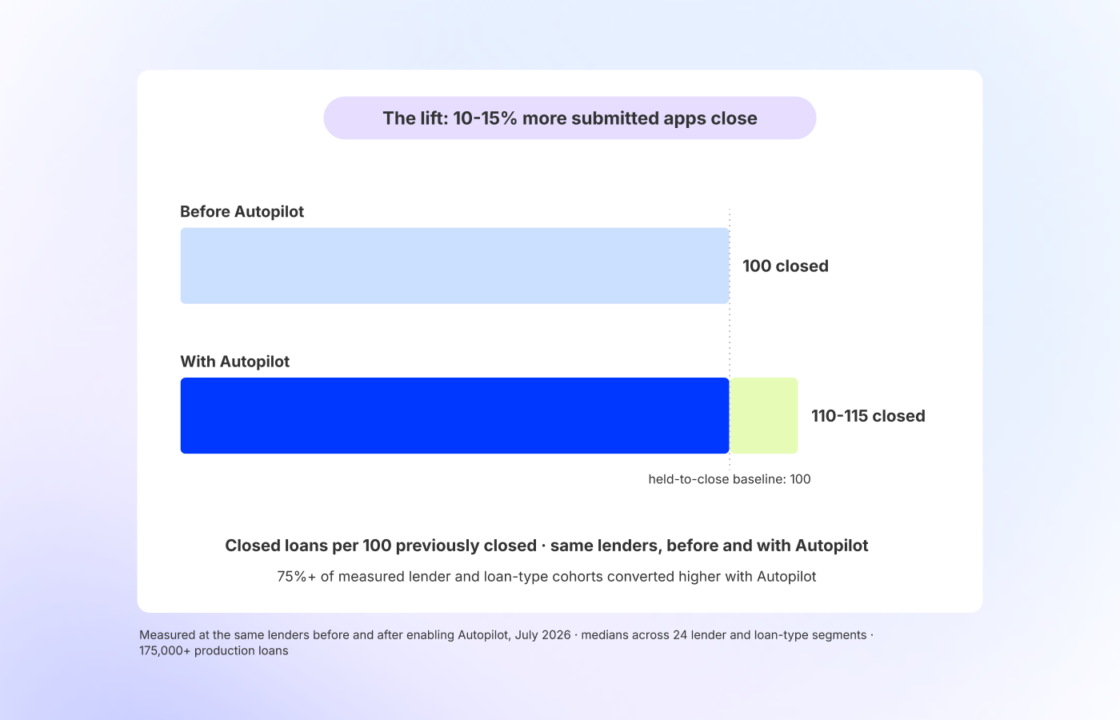
Autopilot Update: The Early Results Are In. Now We’re Making Them Repeatable.
45,000 loans in. See what it took to make Autopilot's early production numbers hold up.
Read the article about Autopilot Update: The Early Results Are In. Now We’re Making Them Repeatable.