March 17, 2026 in Blend momentum
Blend Autopilot Week 2 Update: A Smarter Agent, Gift Fund Detection, and Transparent Income Calculations
Autopilot Weekly Update: Week 2

Subscribe to Autopilot updates
Two weeks in, and Autopilot is running on a more scalable foundation. Here’s what’s new.
Autopilot’s agent platform, upgraded to a more scalable foundation
We upgraded the platform that powers Autopilot’s agent, moving to a more scalable, purpose-built foundation designed to handle the complexity and volume of real mortgage workflows.
The most important change is how the agent understands context. Autopilot now maintains full awareness across an entire borrower session. When a borrower uploads multiple documents, the agent reasons across all of them together, not as isolated events. A W-2 uploaded after two bank statements is analyzed in the context of what the agent already knows about that borrower. Actions are more precise and fewer things fall through the cracks.
The other change is speed. End-to-end agent runs are meaningfully faster, with fewer seconds between document upload and action taken. For borrowers, follow-ups arrive faster. For loan officers, findings appear sooner. For operations teams running high volumes, there is more headroom as you scale.
Autopilot now catches gift funds wherever they are declared
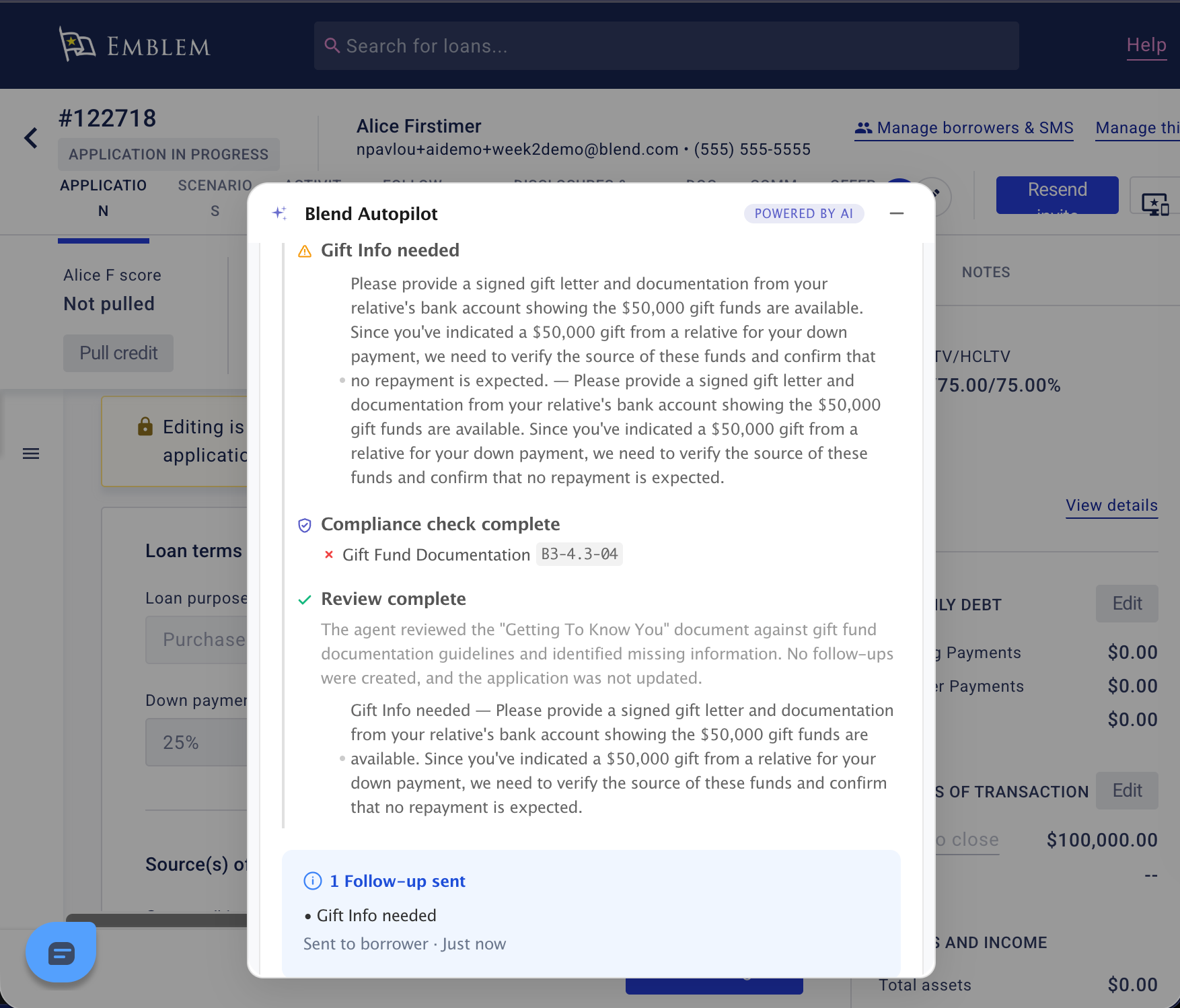
Early application sections like “Getting Started” don’t normally trigger documentation requirements, and Autopilot was following that rule too strictly. If a borrower declared gift funds there, the agent would see them and move on without creating a follow-up.
That’s fixed. Autopilot now correctly identifies gift fund declarations regardless of where they appear in the application, and automatically creates the gift letter and donor bank statement follow-ups per GSE guidelines.
For lenders, this means Autopilot’s behavior is now fully consistent: gift funds declared anywhere in the application are handled the same way, on every loan, automatically.
Income calculations now show structured step-by-step breakdowns
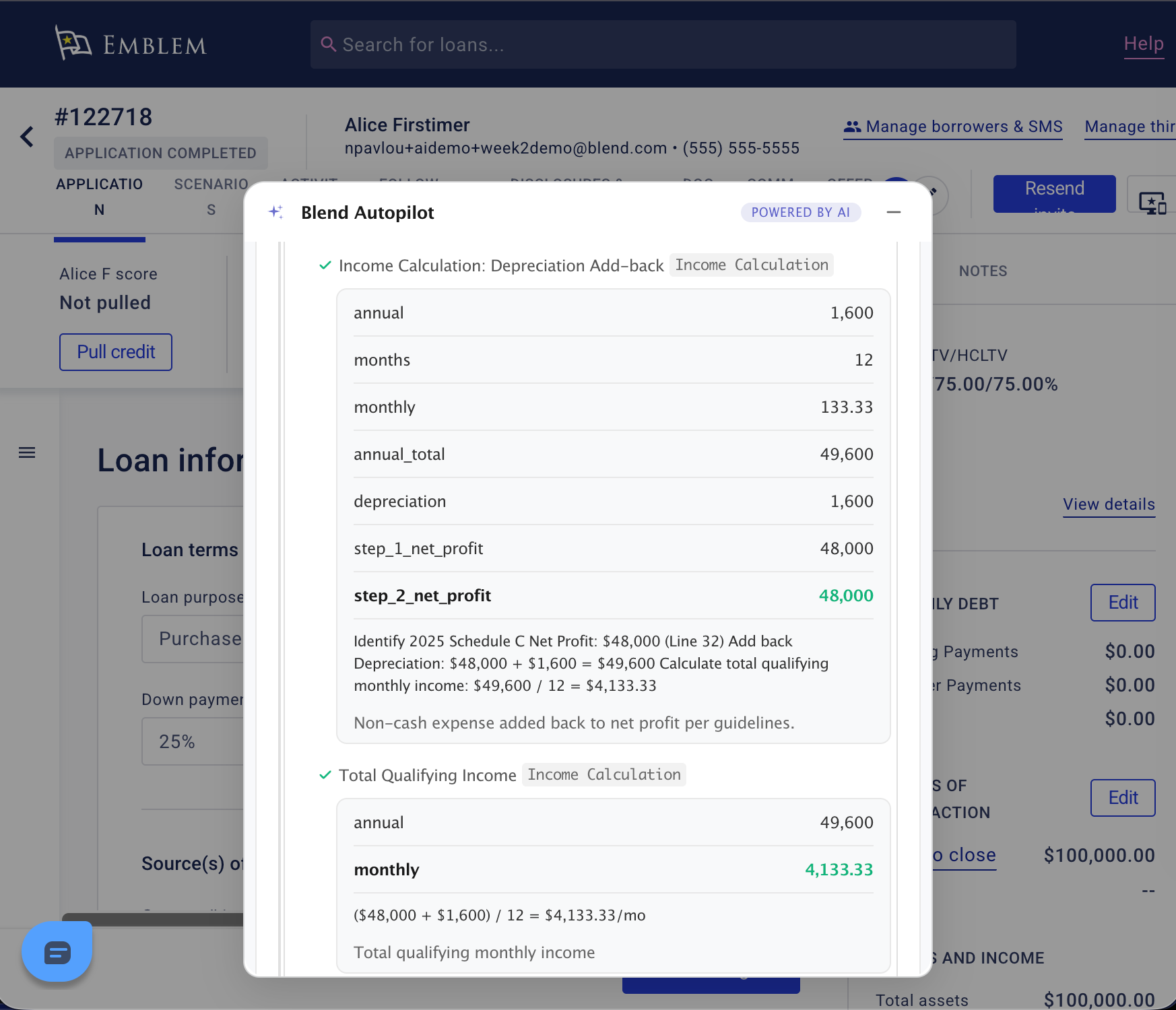
When Autopilot calculates qualifying income, loan officers now see a fully structured, step-by-step breakdown of every calculation, not just the final number.
Each step is labeled, shows the inputs and formula, includes the unit (e.g., USD per month), and links to the guideline citation that drives it. For a self-employed borrower where the agent averages two years of Schedule C income, subtracts business use of home, and adds back depreciation, you see each of those operations laid out in sequence, the way an underwriter would show their work.
This builds on last week’s income calculation enhancement. The numbers were already there. Now the methodology is fully transparent, step by step.
Bank statement requests now route through the native workflow
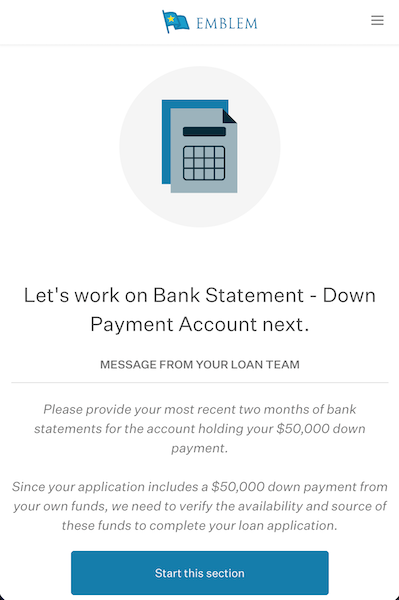
When Autopilot requests bank statements or asset documentation from a borrower, it now routes that request through Blend’s guided asset workflow rather than a generic document upload request. The borrower sees a structured task that walks them through account information and document upload in one flow, the same experience they use for any other asset task in Blend.
The loan officer gets data that lands in the right place automatically. No manual re-routing, no loose uploads sitting in the document tab disconnected from the request that triggered them.
Autopilot now respects your data lifecycle
When an application is purged from your system, Autopilot now automatically removes all AI-processed document data associated with it, in lockstep with your existing data governance policies. Delete an application and Autopilot’s data goes with it. No manual cleanup and no separate process.
For compliance and data governance teams, Autopilot now operates fully within your existing retention, deletion, and audit frameworks.
Where Autopilot is going next
Five new capabilities this week. That pace is by design.
The reception has been strong. Lenders are already self-serving directly into production with no implementation support and no onboarding call, just a toggle in Lending Config Center. That’s exactly how we designed this to work.
Looking ahead, we’re expanding what Autopilot understands. Credit, pricing, fees, and DU results are next, giving the agent a fuller picture of each loan alongside the documents it is already reviewing. We are also building toward borrower chat, where borrowers can ask the agent directly about their loan, their documents, and what is still needed.
Every improvement ships automatically to every lender that has Autopilot activated. No upgrade cycles. No implementation projects. The agent you turned on last week is already better than it was on day one, and next week it will be better still.
We’ll be back next week with what’s new.
Blend Autopilot is currently in preview and free to activate and use during the preview period for all Blend customers. To get started, visit your Lending Config Center or contact your Blend account team.
We publish a new update every Wednesday. Subscribe to the Autopilot weekly update to make sure you stay up to date with everything we are shipping.
Find out what we're up to!
Subscribe to get Blend news, customer stories, events, and industry insights.
Blend Autopilot Week 4 Update: Borrower Chat Is Coming, API-Uploaded Documents Now Visible to Autopilot, and Smarter Cross-Document Analysis
Real adoption, real feedback. See how lenders are shaping what Autopilot has become this week.
Read the article about Blend Autopilot Week 4 Update: Borrower Chat Is Coming, API-Uploaded Documents Now Visible to Autopilot, and Smarter Cross-Document Analysis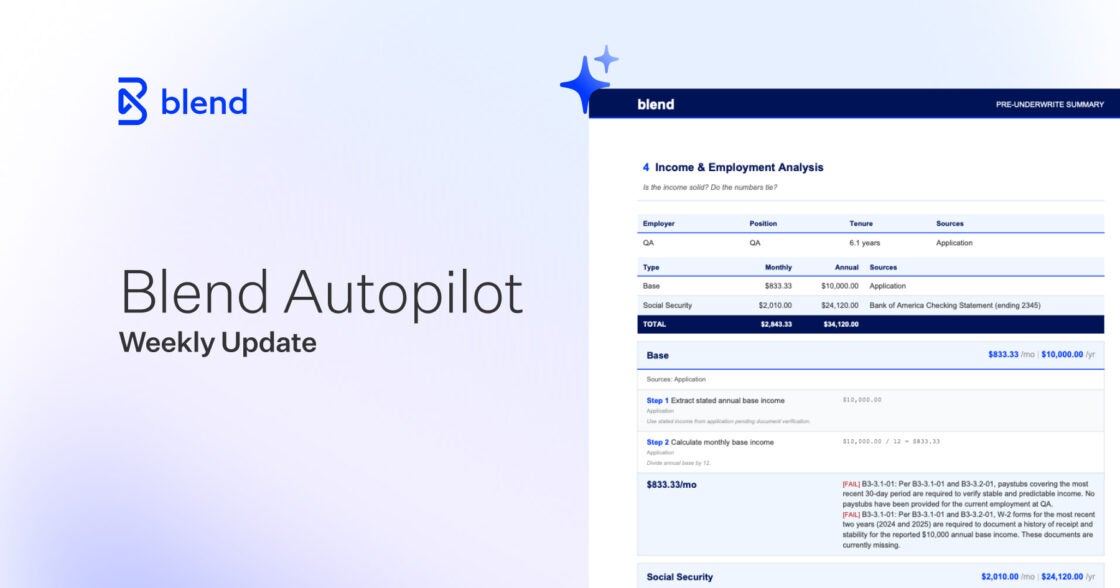
Reduce Pre‑Closing Delays with Refreshable Asset‑Based Employment Checks
Learn how refreshable, asset‑based employment checks can reduce pre‑closing delays, cut last‑minute outreach, and align with DU®, LPA®, and agency expectations.
Read the article about Reduce Pre‑Closing Delays with Refreshable Asset‑Based Employment Checks
Blend Autopilot Week 3 Update: Nima Ghamsari on Why Blend Built Autopilot, the Pre-Underwriting Summary Ships to Production, and Smarter Document Validation
AI that handles edge cases automatically. See what shipped in Autopilot's third week of production.
Read the article about Blend Autopilot Week 3 Update: Nima Ghamsari on Why Blend Built Autopilot, the Pre-Underwriting Summary Ships to Production, and Smarter Document Validation