
AI & Autopilot
Blend Autopilot: AI That Keeps Loans Moving Forward
The AI Agent that reviews documents, checks compliance, and created follow-ups in 15 seconds.
Start learning about Blend Autopilot: AI That Keeps Loans Moving Forward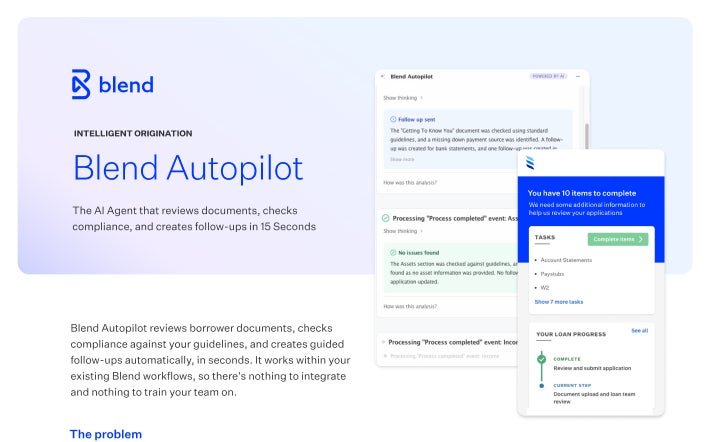
Navigator for Blend Autopilot
Navigator is Autopilot's conversational interface. Ask about a loan, see what it's done, tell it what's next.
Request demo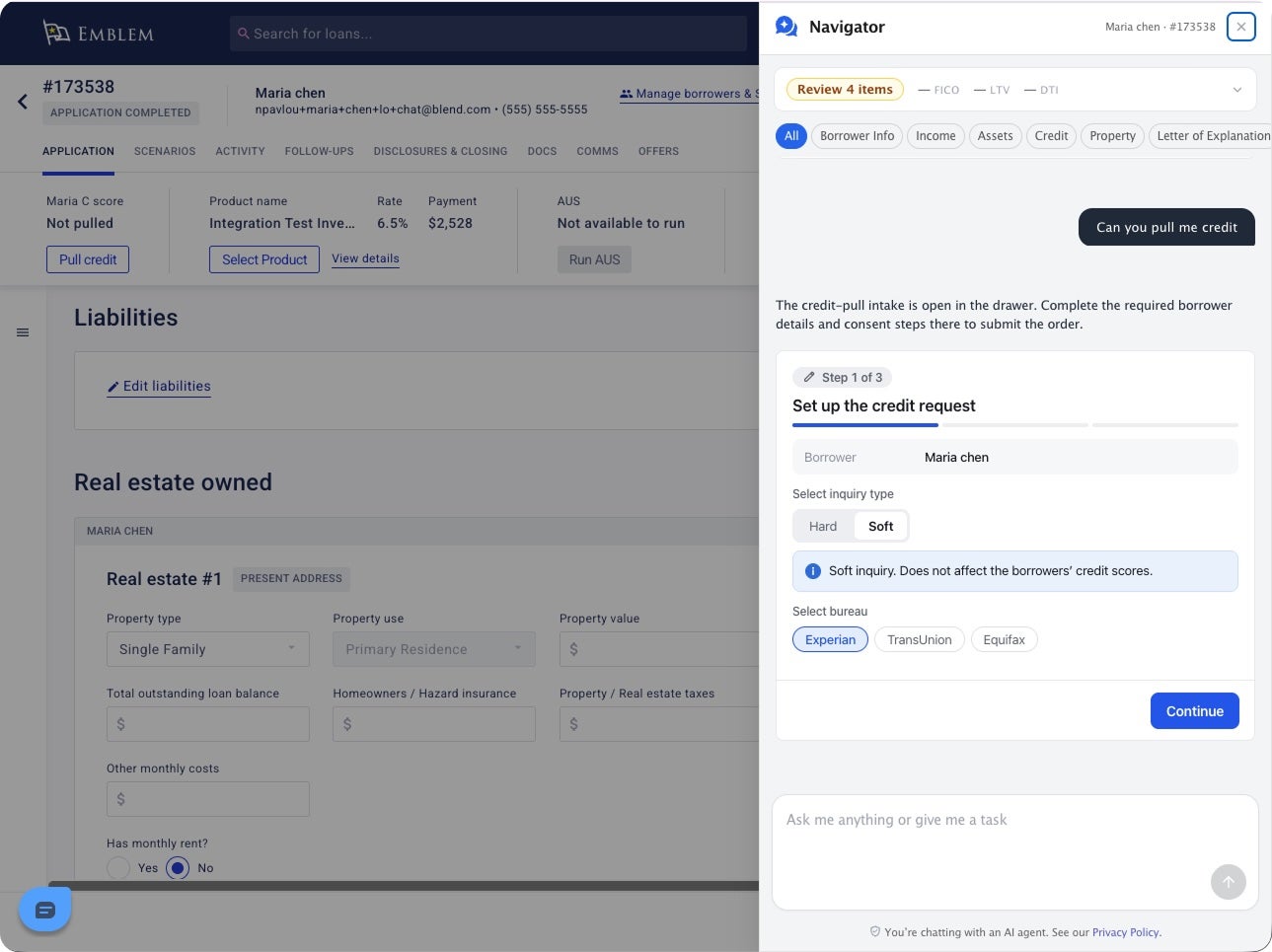
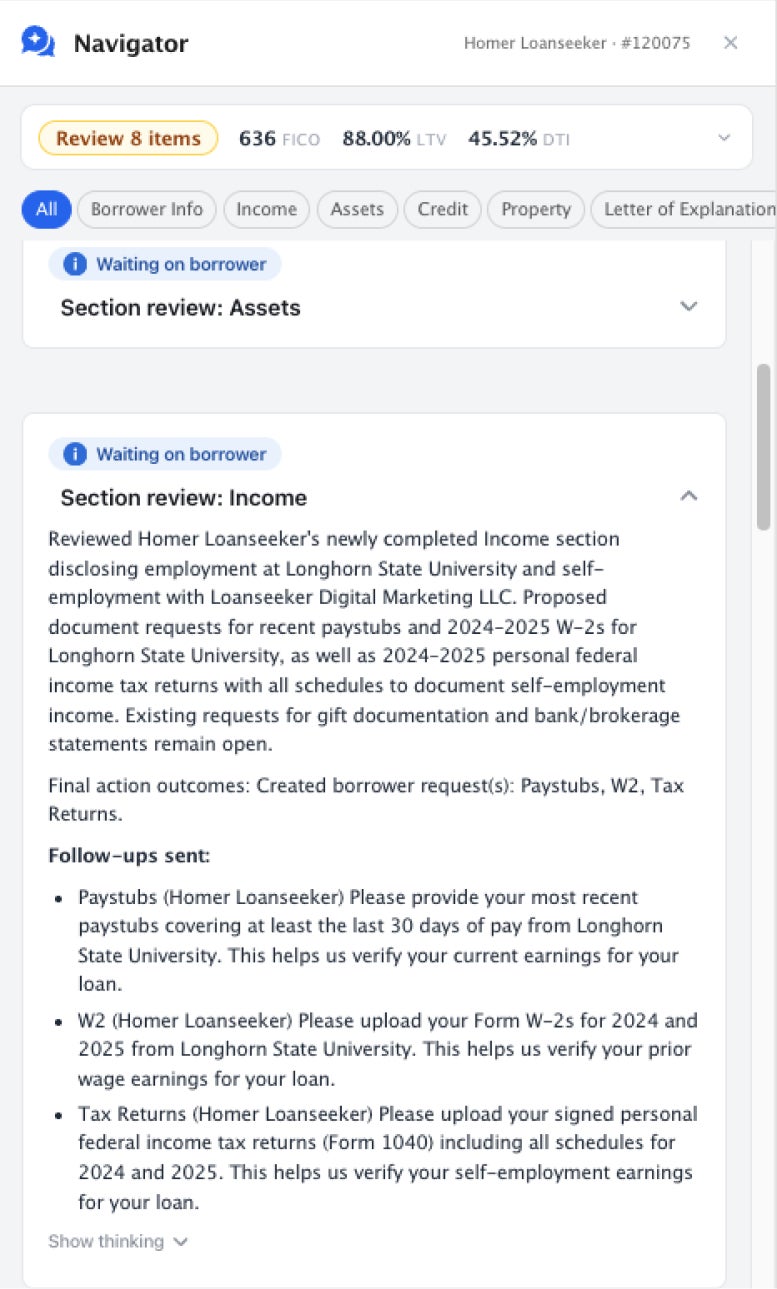
Ask about what you see and get an explanation grounded in the loan file.
Ask about what you see and get an explanation grounded in the loan file.
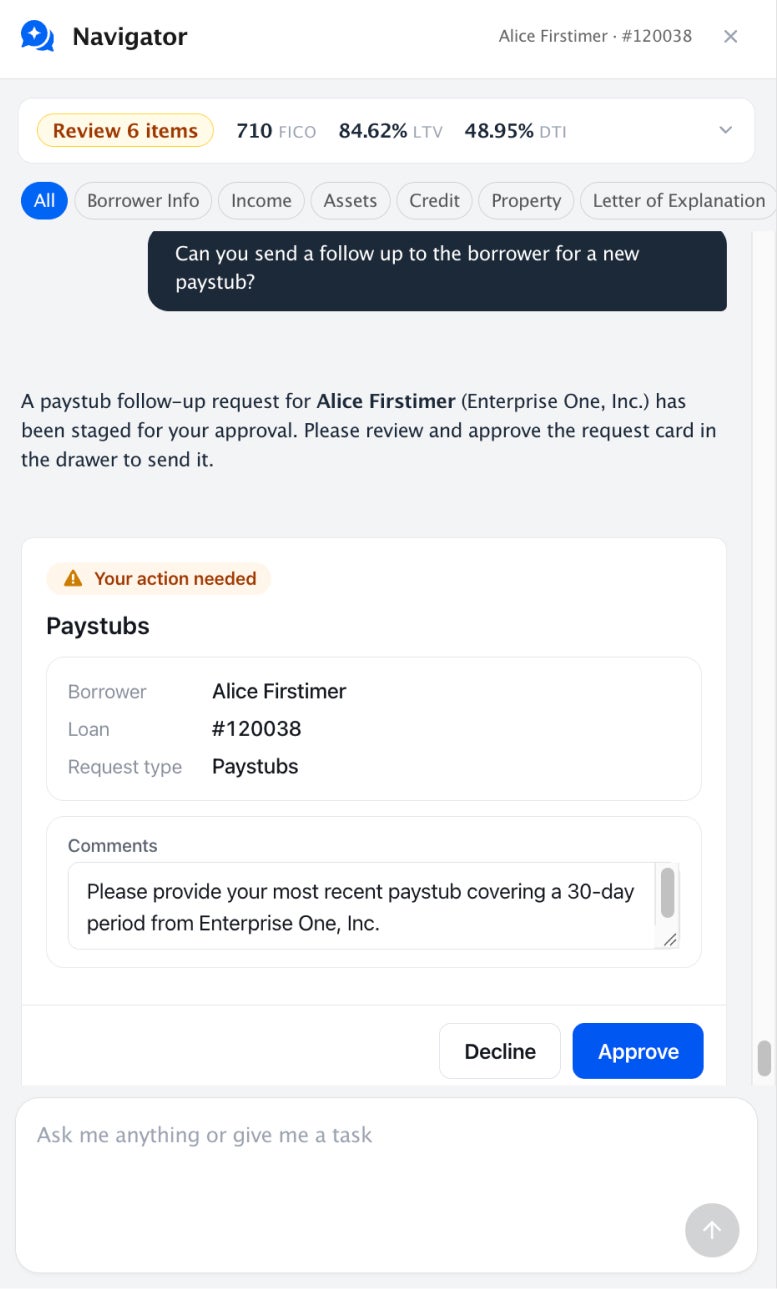
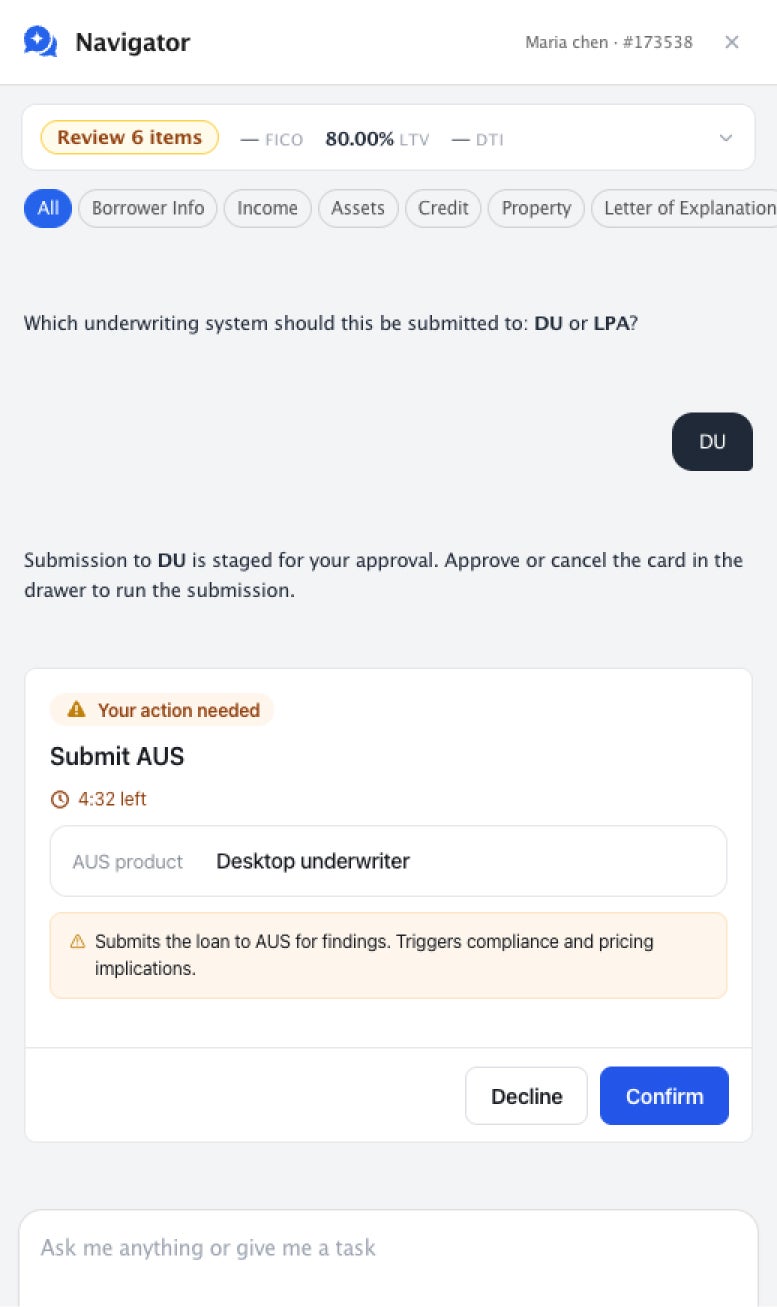
Tell Navigator what you want to do, then approve the action before anything changes.
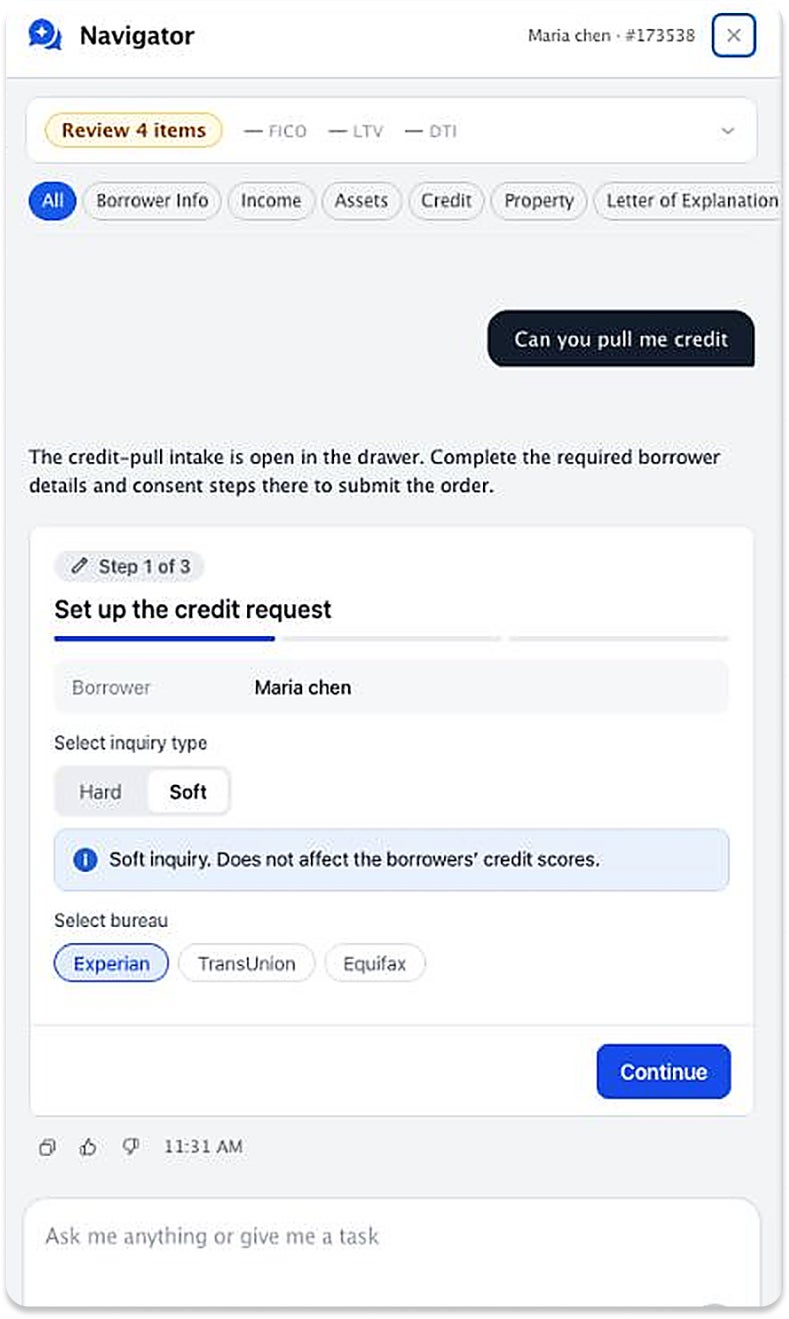
For actions that require multiple decisions, Navigator walks you through the process step by step.
Collect borrower details and consent, then order credit with the loan officer's approval.
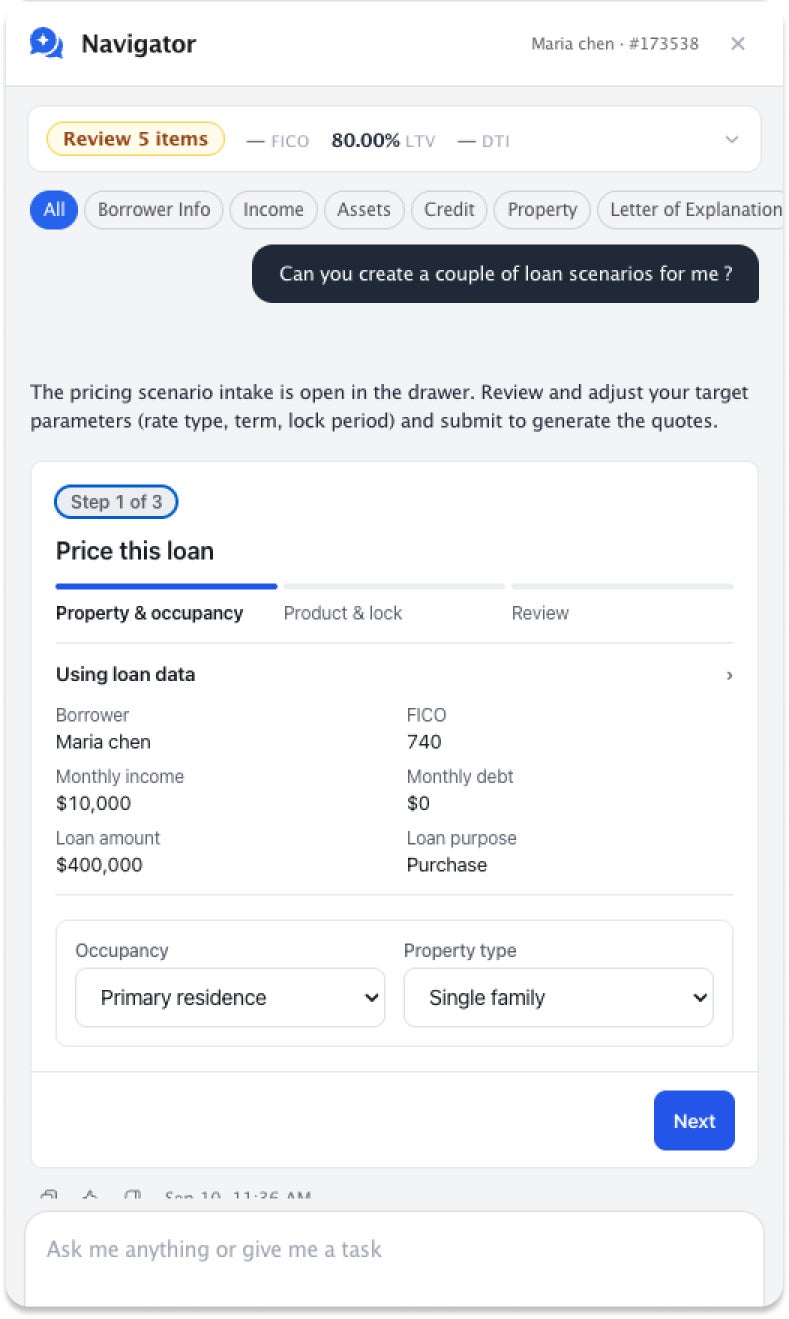
Compare up to three scenarios side by side, with loan assumptions prefilled and adjustable before you run them.
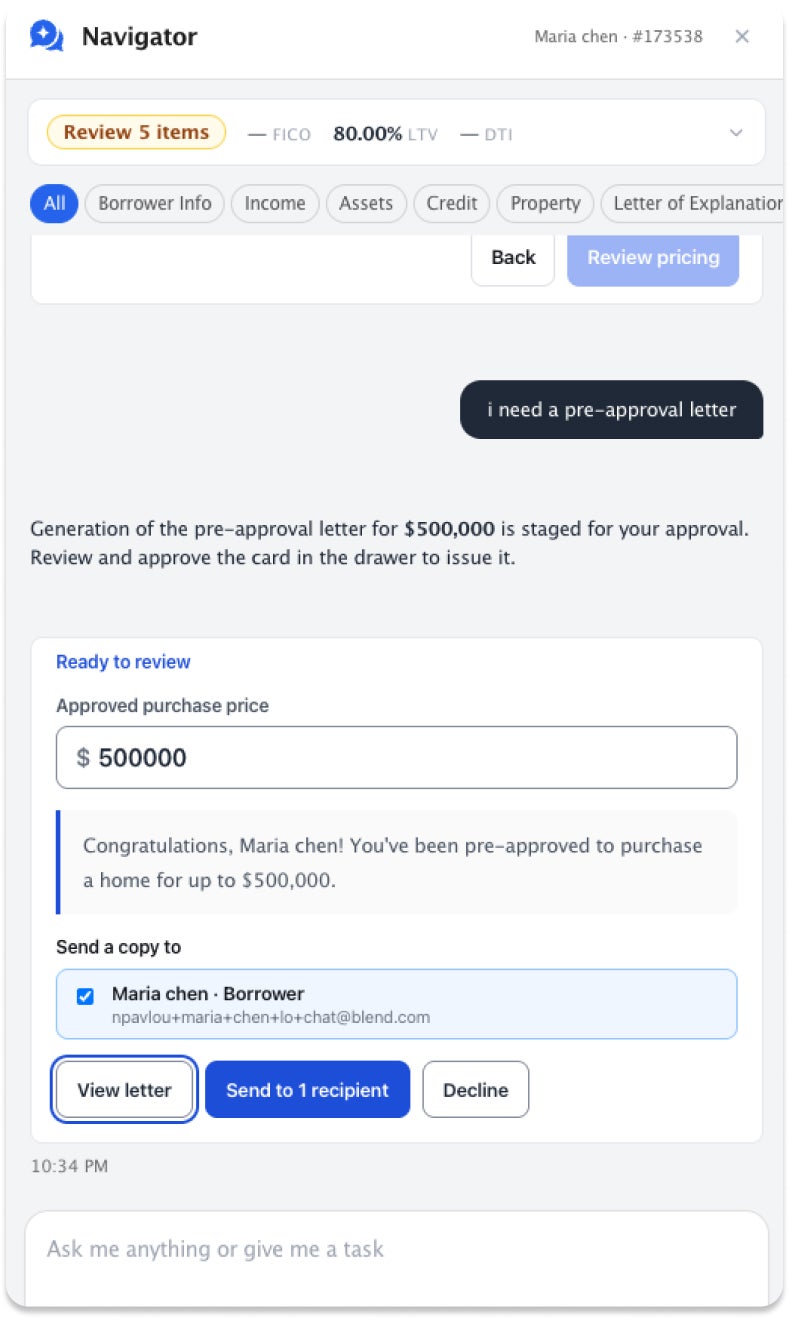
Preview the letter, adjust the price and recipients, then approve it to send.

Navigator lives inside Blend with the context of the loan already in place.

Navigator only accesses what the loan officer has permission to access.

Changes that affect the loan, cost money, or reach a borrower require approval and are recorded.
Navigator is the conversational interface to Blend Autopilot. Autopilot does the pre-underwriting work. Navigator lets loan officers see that work, ask questions about it, and take action. Navigator requires Blend Autopilot to be enabled.
No. Anything that alters the loan, spends money, or reaches a borrower becomes an approval card and waits for the loan officer. How the request is worded makes no difference. Navigator drafts borrower messages but sends nothing on its own.
Navigator says so instead of proposing work it cannot finish. It offers only the actions your integrations support and is explicit about the rest.
Navigator is a capability toggle in Lending Config Center, in the same place as every other Autopilot capability. You must be on Autopilot to use Navigator. Reach out to sales@blend.com to learn more.
Conversations, the full approval lifecycle including who resolved each card, every agent run, and every action call are written to durable audit records.
Receive updates on new capabilities, improvements, and what's shipping next.
The AI Agent that reviews documents, checks compliance, and created follow-ups in 15 seconds.
Start learning about Blend Autopilot: AI That Keeps Loans Moving Forward
Download the report
Read the article about Autopilot Impact Report
Understand performance across your entire lending operation — without leaving Blend.
Start learning about Blend’s Autopilot Analytics Agent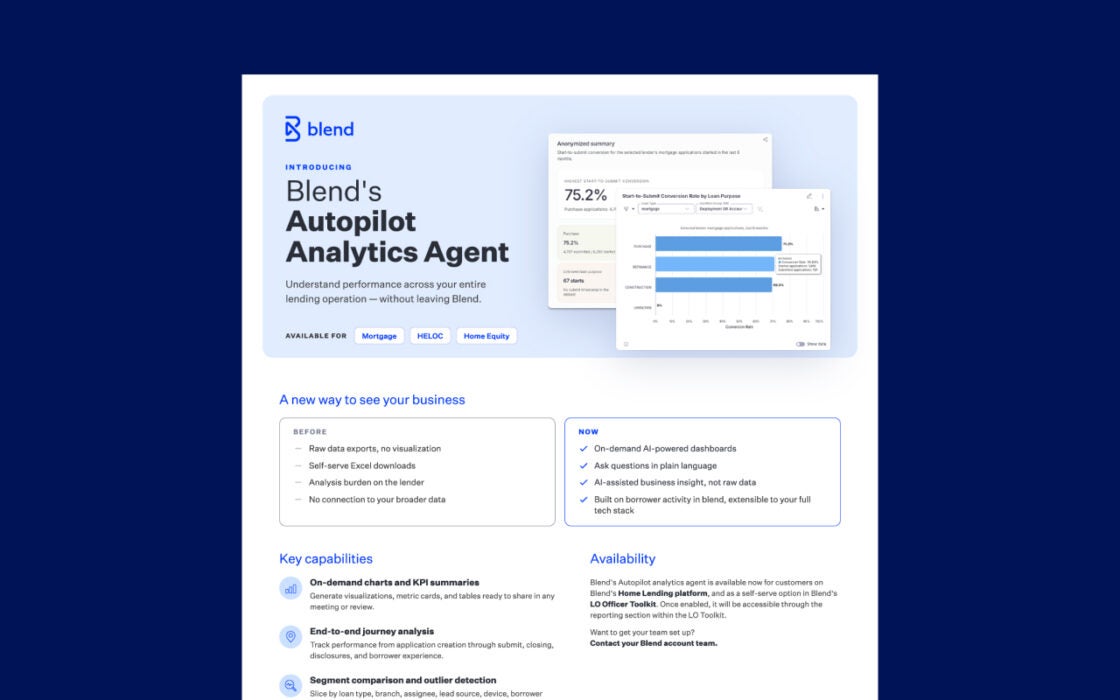
Request a demo to see Autopilot keep loans moving with automated review and follow-ups.
By submitting this form you agree to our Terms of Use and Privacy Policy.