March 11, 2026 in Blend momentum
Blend Autopilot Week 1 Update: Pre-Underwriting Summaries, Income Calculation, and Smarter Follow-Ups
Autopilot Weekly Update: Week 1

Subscribe to Autopilot updates
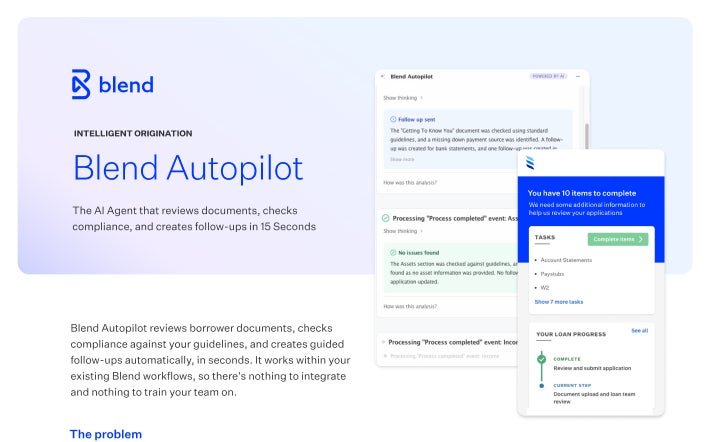
Last week, we introduced Blend Autopilot, an AI agent that reviews mortgage documents, checks compliance, creates borrower follow-ups, and updates application data in seconds. We launched it as an early preview, free to activate and use for all Blend customers during the preview period.
One week in, Autopilot is already meaningfully better. Here’s what’s new.
Autopilot is now available in production
During the first week of preview, Autopilot was available in beta environments, giving lenders a chance to see how the agent handles their workflows, guidelines, and loan scenarios before making it available in production environments.
Starting this week, Autopilot is available in production. Real loans, real borrowers, real documents, processed in seconds.
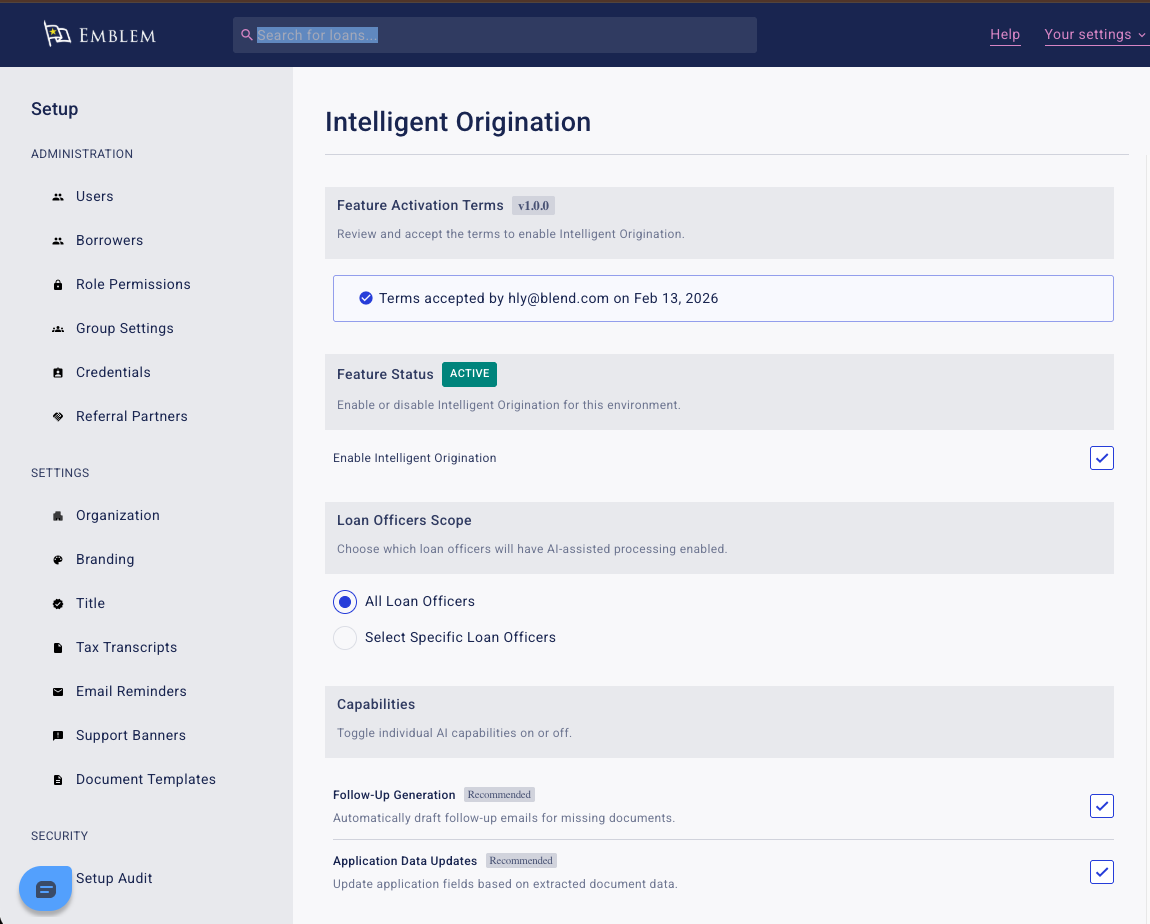
If you’ve already been testing in beta, moving to production is a single toggle in your Lending Config Center. If you haven’t activated yet, you can go straight to production. Autopilot is free during the preview period for all Blend customers.
Autopilot now generates a pre-underwriting summary
One of the most common requests from lenders since launch: “Can I get a single document that shows me everything the agent found?”
Now you can. After each borrower session, Autopilot automatically generates a Pre-Underwriting Summary: a structured, branded PDF that distills every finding, calculation, and recommendation into one document. It goes directly into the loan’s document tab and syncs automatically to your LOS.

The summary covers nine sections:
- Open Items & Risk Flags: Color-coded by severity, so the most critical issues surface first
- Income & Employment Analysis: Per-component income calculations with formulas, methodology, and guideline citations. If the agent added back depreciation or averaged two years of self-employment income, you see exactly how it got to the number
- Asset Verification: Verified accounts, large deposit flags with threshold calculations
- Credit & Liabilities: Scores, DTI ratio, and derogatory items
- Compliance Checklist: Every guideline checked, with pass/fail results and citations
- Document Inventory: What was reviewed and what was found
- Follow-Up Tracker: What was created, what was skipped, and why
- Recommendations & Next Steps: Actionable items for the underwriter
Each summary is versioned. If a borrower uploads documents across five separate sessions, you get five versions, each one building on the last. The system is smart about it: if nothing meaningful changed between runs, no new version is created.
The summary waits 10 minutes after the last agent activity before generating, so it captures the full session rather than creating a new PDF after every single document. And because it flows into the documents tab, it automatically appears in your LOS. No manual steps, no separate login.
For underwriters, this is the single artifact they need to understand the state of the loan. For compliance teams, it’s a full audit trail with every calculation, every guideline reference, and every decision the agent made.
Autopilot now calculates qualifying income

Reviewing a document is one thing. Calculating qualifying income from it is another, and it’s where loan officers spend the most time.
Autopilot now does it automatically. When a borrower uploads a W-2, Schedule C, or K-1, the agent doesn’t just extract the numbers. It applies the applicable guideline rules, adding back non-cash expenses like depreciation, subtracting business use of home deductions, and comparing multiple years to determine trend, then arrives at a qualifying monthly figure.
When a self-employed borrower uploads two years of Schedule C tax returns, the agent extracts net profit from each year, adds back non-cash depreciation, and compares the results to determine the income trend. In this case: 2024 net profit of $57,500 (no adjustments needed) and 2025 net profit of $48,000 plus $1,600 in depreciation, yielding $49,600 in adjusted income. Because 2025 is lower than 2024, a declining trend, the agent uses the most recent year rather than averaging, arriving at $49,600 annually, or $4,133.33 per month in qualifying income.
Every calculation step is visible: the formula, the inputs, the result, and the guideline citation. The loan officer doesn’t have to open the tax return, reconstruct the math, or look up which non-cash items to add back. It’s already done, with a full audit trail.
This is work that typically takes a loan officer 15-20 minutes per file. Autopilot does it in seconds.
And once qualifying income is established, Autopilot goes further. It automatically re-analyzes any bank statements already on file, because now it has the threshold it needs for large deposit detection. A deposit that couldn’t be evaluated before income was known is now flagged if it exceeds 50% of qualifying income. No second request to the borrower. No manual re-review. The agent connects the dots across documents automatically.
Follow-ups now speak the borrower’s language
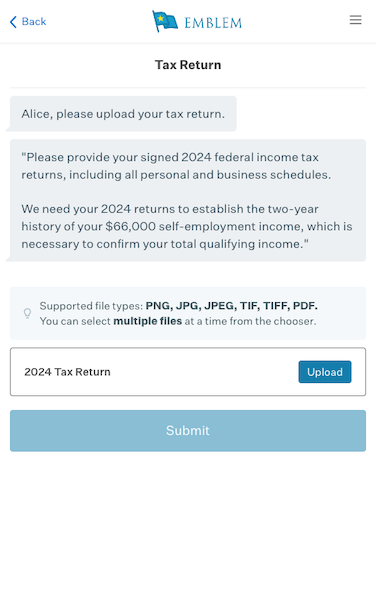
When Autopilot creates a follow-up, the borrower no longer sees a generic request like “Please provide your most recent paystubs.”
Instead, they see something like: “Since you reported $20,000 in commission income, we’ll need your last paystub from 2025 to verify the full annual commission amount. This helps us confirm the income that can be used for your loan qualification.”
Every follow-up now references the borrower’s specific dollar amounts, specific documents, and a plain-language explanation of why it’s needed. No regulatory jargon. No guideline section numbers. Just clear, contextual instructions, the way a great loan officer would explain it in person.
This matters because borrower confusion is one of the biggest drivers of follow-up abandonment. Stratmor data shows that 9% of borrowers who found document requests unreasonable had a 70-point NPS drop, the single most damaging experience in the mortgage process. Clearer follow-ups mean faster completions, fewer phone calls, and less fallout.
Validated documents now auto-resolve open follow-ups
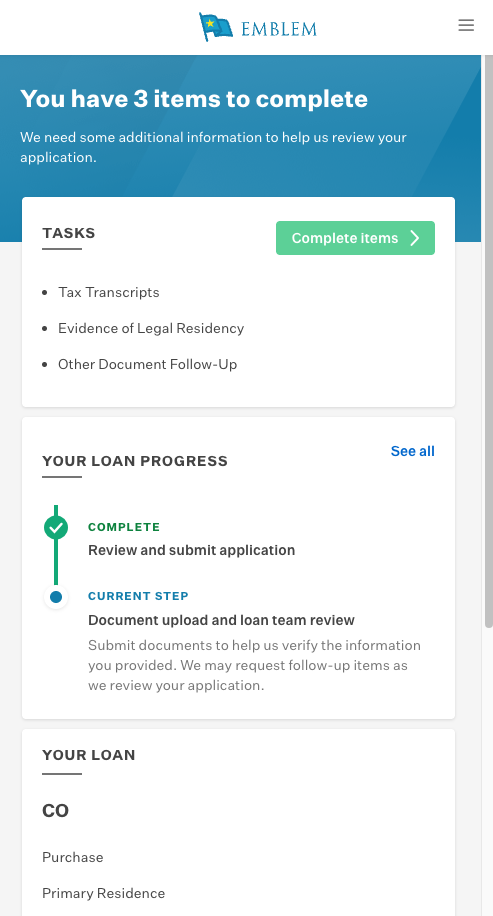
When a borrower uploads a document in response to an open follow-up, and Autopilot confirms it’s compliant, the follow-up now automatically resolves.
Previously, the follow-up would sit open until someone manually reviewed it, even though the agent had already verified the document. The borrower would see an unresolved task for something they’d already completed.
Now the borrower’s task list stays accurate in real time. Upload a W-2, agent confirms it checks out, follow-up closes. No manual intervention needed. If the document doesn’t pass (wrong document, missing information, new issue found), the follow-up stays open and the borrower is guided on what to do next.
It’s a small change that eliminates a real source of borrower frustration and unnecessary loan officer work.
Custom lender guidelines are now automatically ingested
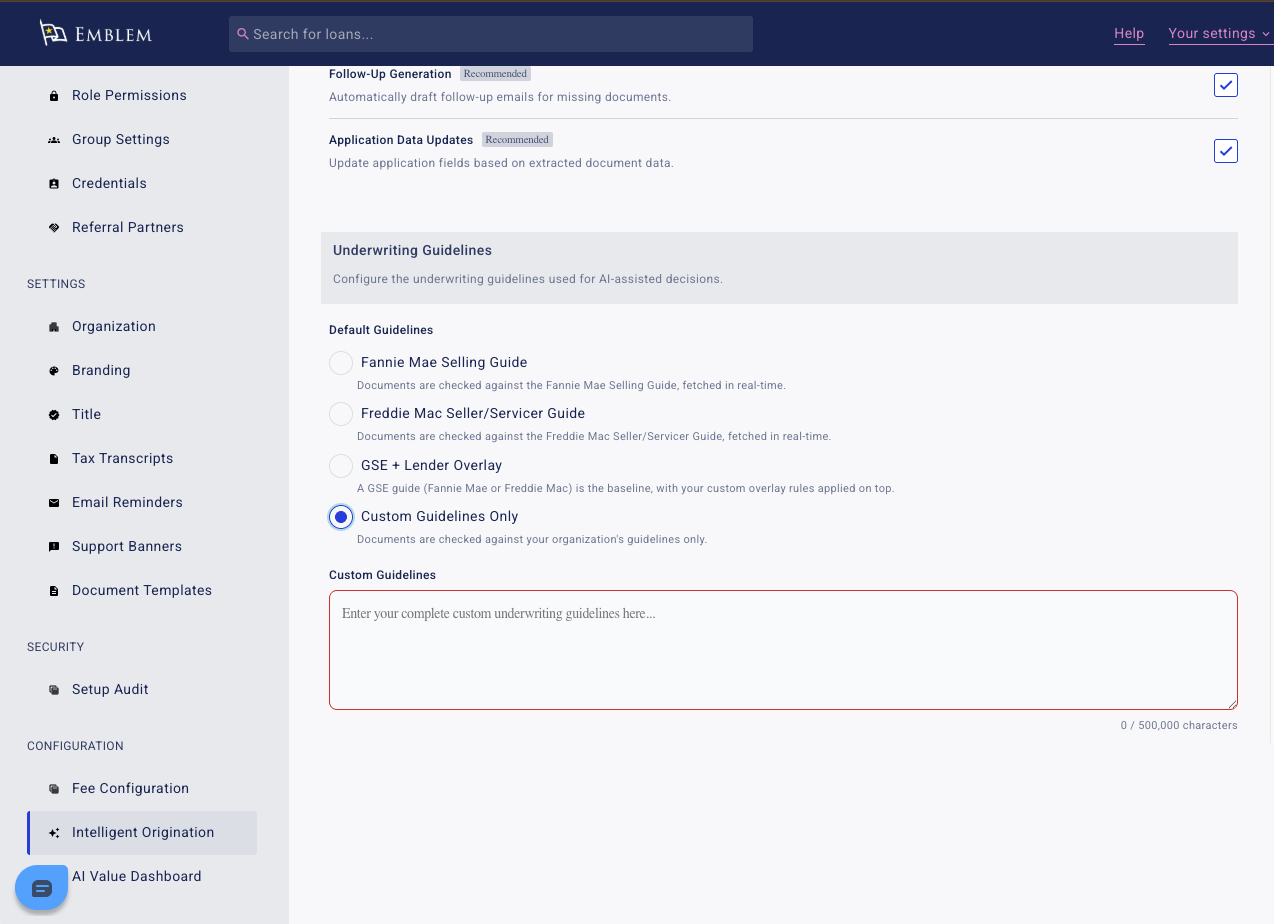
Every lender has rules beyond Fannie Mae and Freddie Mac: overlays, portfolio product guidelines, internal policies. Autopilot now automatically ingests these custom guidelines and versions them with the same rigor as agency guidelines.
Lenders upload their guidelines as a document. The system parses them into searchable sections, detects changes on subsequent uploads, and only reprocesses what has actually changed. When Autopilot cites a finding under custom mode, the loan officer sees exactly which internal rule applies, just like they would for a Fannie Mae or Freddie Mac citation.
For lenders running HELOCs, portfolio products, or proprietary overlays, this means Autopilot now operates on your rules, not just the GSEs’.
Large deposit workflows are now fully structured

When Autopilot identifies a large deposit on a bank statement, it no longer just flags the issue. It passes the full transaction detail (amount, date, description, institution, account type) directly into the borrower’s guided workflow.
The borrower sees exactly which deposit needs sourcing: “We found a $15,000 deposit on 1/15/2026. What is the source of this deposit?” with the data pre-populated and linked to the correct account. No manual transcription by the loan officer. No room for data entry errors. A clean audit trail from document to workflow to resolution.
Continuous quality monitoring is live
Every action Autopilot takes is now scored automatically across three dimensions: follow-up quality, data extraction accuracy, and compliance reasoning depth. These quality scores run on every single agent execution in real time, not as a periodic audit, but as a continuous measurement of how well the agent is performing.
This means we catch quality issues the moment they appear and improve the agent continuously. It also means that as we ship new capabilities every week, we have quantitative proof that quality is going up, not just the pace of delivery.
The pace of improvement
We shipped six new capabilities in our first week. That pace is by design. Blend Autopilot is built on an architecture that allows us to improve the agent continuously (new document types, smarter calculations, better borrower experiences) without requiring any action from our customers.
Every improvement ships automatically to every lender who has Autopilot activated. No upgrade cycles. No implementation projects. The agent you turned on last week is already better than it was on day one, and it will keep improving week after week.
We’ll be back next Wednesday with what’s new.
Blend Autopilot is currently in preview and free to activate and use during the preview period for all Blend customers. To get started, visit your Lending Config Center or contact your Blend account team.
Find out what we're up to!
Subscribe to get Blend news, customer stories, events, and industry insights.
From Upload to Underwriting in 15 Seconds: Introducing Blend Autopilot
Meet the AI agent that reviews documents, generates needs lists, and keeps loans moving forward in real time, no business hours required.
Read the article about From Upload to Underwriting in 15 Seconds: Introducing Blend Autopilot
Blend Launches Autopilot, Completing Loan Origination Reviews in 15 Seconds
The first AI agent of Blend Intelligent Origination works inside existing lender workflows and guidelines to deliver real-time compliance review, automated follow-ups, and full borrower visibility.
Read the article about Blend Launches Autopilot, Completing Loan Origination Reviews in 15 Seconds
Blend Autopilot: AI That Keeps Loans Moving Forward
The AI Agent that reviews documents, checks compliance, and created follow-ups in 15 seconds.
Start learning about Blend Autopilot: AI That Keeps Loans Moving Forward