May 14, 2026 in Blend momentum
Blend Autopilot Week 10 Update: VA and FHA Guideline Support, Wrong-Document Detection, and Parallel Validation
Autopilot Weekly Update: Week 10

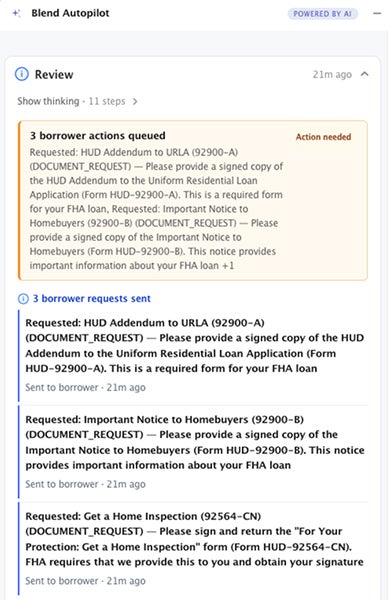
This week, Autopilot learns VA and FHA.
VA and FHA support is now live in beta and production environments, bringing government loan review into the same automated pre-underwriting workflow lenders already use for conventional loans. When a loan officer selects a VA or FHA product, Autopilot switches guideline modes, re-reviews the loan under the correct rules, and reconciles the borrower’s task list automatically. Follow-ups that no longer apply get cancelled. New requirements get created. The borrower only ever sees what’s actually needed.
But it’s not the only update this week. Autopilot now catches wrong and blank document uploads, and document validation runs in parallel.
Autopilot adds VA and FHA loan guideline support
Until this week, Autopilot’s guideline knowledge covered conventional conforming loans, product overlays, and custom lender rules. It didn’t cover the borrower using their VA benefit to buy their first home, or the first-time buyer going FHA because they don’t have 20% down.
Now it does.
Autopilot has ingested the VA Lender’s Handbook and HUD Handbook 4000.1 (FHA) into the same guideline infrastructure the agent already uses for Fannie Mae, Freddie Mac, and lender overlays. When it needs to check whether a document satisfies a requirement, it cites VA or FHA sections the same way it cites Fannie Mae and Freddie Mac sections today.
Switching loan products mid-stream
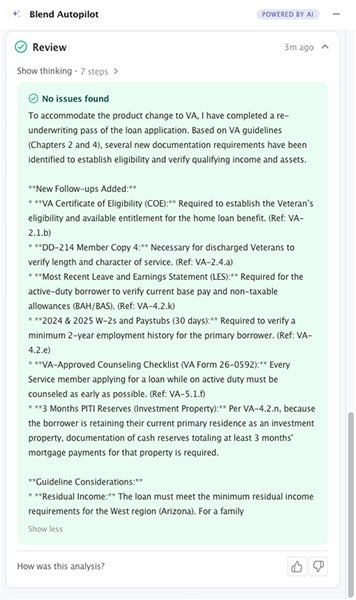
Here’s where it gets interesting. Loans don’t always start as VA or FHA. A loan officer might quote conventional first, then switch to VA after running the numbers. Before this week, that kind of mid-stream pivot meant the review work done so far was potentially wrong: follow-ups based on Fannie guidelines that don’t apply under VA rules.
Now, when a loan officer selects a new product, Autopilot detects the guideline mode change and re-reviews the entire loan under the correct rules. The system:
- Cancels follow-ups that no longer apply under the new guidelines
- Preserves any borrower work already in progress (uploaded documents, items under review)
- Creates new follow-ups for requirements specific to the new program
The borrower’s task list updates automatically. No manual cleanup. No conflicting asks. No stale requests sitting in the borrower’s queue from a guideline set that no longer applies.
Enabling government loan support
VA/FHA support ships behind a feature flag for controlled rollout. Lenders already activated on Autopilot can enable government loan support by reaching out to their Blend representative. Self-service configuration is coming soon, allowing you to enable it directly through the Lending Config Center without any assistance. The architecture is built to expand: as we add more guideline sources, the same pattern applies.
Wrong and blank document detection
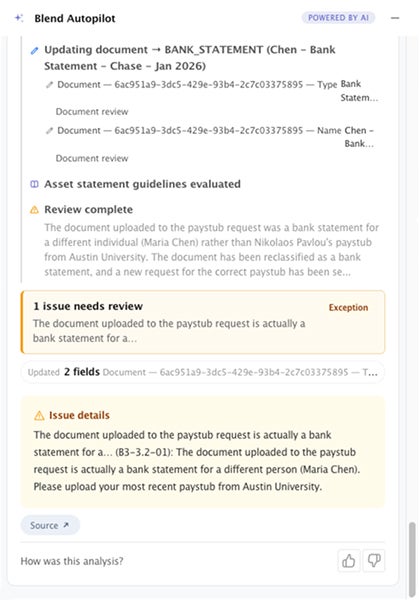
Borrowers upload the wrong file. It happens. A paystub instead of a bank statement. A blank page from a scanner glitch. A document that technically uploaded but contains nothing useful.
Previously, Autopilot would process whatever arrived and move on. If the document didn’t satisfy the requirement, the follow-up would remain open, but the borrower wouldn’t know why.
Now, Autopilot detects when an uploaded document is wrong or blank and re-issues the follow-up with clear context. The borrower gets a specific message: this isn’t what we needed, here’s what to upload instead. No ambiguity. No stale follow-ups that look satisfied but aren’t.
For loan officers, this means fewer “the borrower says they uploaded it” conversations. The system catches the mismatch immediately and handles the re-ask.
Parallel document validation
Document validation now processes documents concurrently instead of sequentially. When multiple documents arrive on a loan at the same time, they’re validated in parallel rather than waiting in a queue.
Subscribe to Autopilot updates
For borrowers who upload several documents at once (bank statements, paystubs, tax returns in a batch), the time from upload to follow-up resolution is significantly faster.
Blank fields no longer treated as zero
A subtle but impactful fix: when loan data fields are blank (no value provided), Autopilot previously defaulted them to zero. That caused false conditions. A blank income field read as “$0 income” rather than “income not yet provided.” A blank asset balance became “$0 in assets.”
Now, blank fields are treated as unknown. The agent recognizes that missing data isn’t the same as zero data, and adjusts its analysis accordingly. Fewer false follow-ups. More accurate review decisions.
Under the hood: evals, error states, and progress visibility
- Richer progress visibility: Loan officers now see more detailed step-by-step progress as Autopilot works through a loan, plus clear error states when something goes wrong.
- Evals expanded: New automated eval scenarios covering URLA declarations (bankruptcy, foreclosure, judgments, child support), large-deposit income verification, and follow-up resolution. These ensure Autopilot’s accuracy continues to improve as new capabilities go live.
Under the hood improvements are automatically available to every lender with Autopilot activated.
Government loans are a big share of the mortgage market, and until this week, they weren’t supported by Autopilot. Now they run through the same workflow as conventional loans. Select a VA or FHA product, and the agent already knows the rules. Switch products mid-stream, and the agent adjusts in seconds. The borrower’s experience stays clean regardless of which guideline set applies.it.
Blend Autopilot is currently in preview and free to activate and use during the preview period for all Blend customers. To get started, visit your Lending Config Center or contact your Blend account team.
We publish a new update every Wednesday. Subscribe to the Autopilot weekly update to make sure you stay up to date with everything we are shipping.
Find out what we're up to!
Subscribe to get Blend news, customer stories, events, and industry insights.
Blend Autopilot Week 9 Update: Autopilot Now Runs on Rapid Loans, Evaluates LO-Created Follow-Ups, and Refines Borrower Chat
More loan types, less noise. See how Autopilot keeps pace with your volume in week 9.
Read the article about Blend Autopilot Week 9 Update: Autopilot Now Runs on Rapid Loans, Evaluates LO-Created Follow-Ups, and Refines Borrower Chat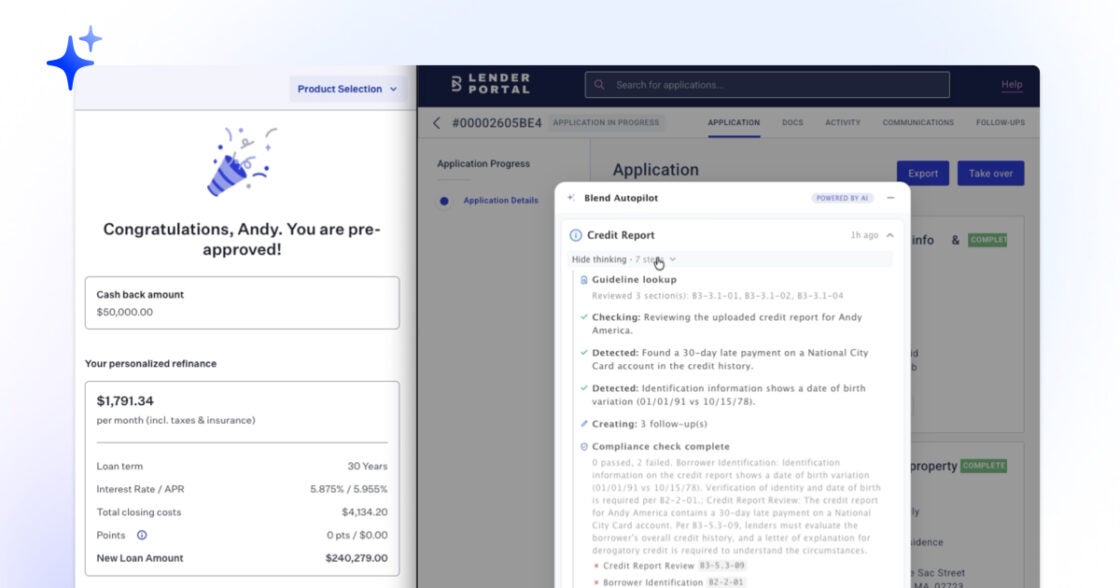
Blend Autopilot Week 8 Update: Autopilot Thinks Like an Underwriter, Borrower Chat Ships to Production, and New MCP Capabilities
Less prep work for underwriters. See how Autopilot thinks through AUS findings in week 8 updates.
Read the article about Blend Autopilot Week 8 Update: Autopilot Thinks Like an Underwriter, Borrower Chat Ships to Production, and New MCP Capabilities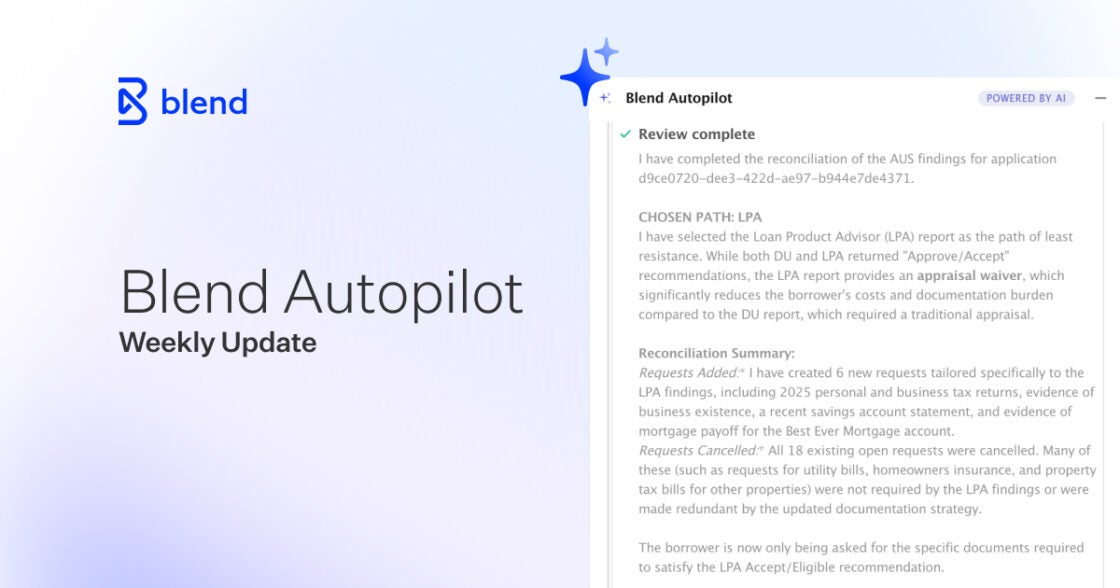
Blend Autopilot Week 7 Update: Borrowers Can Now Talk to Autopilot and MCP Platform Hardening
Borrowers get answers. Underwriters get clarity. See all that Autopilot shipped in week 7.
Read the article about Blend Autopilot Week 7 Update: Borrowers Can Now Talk to Autopilot and MCP Platform Hardening